Skip to content

Pegasus Librarian* Posts

The Research/IT Desk

Sitting here at the reference desk for my Monday afternoon shift, I’m reminded of one reason that I no longer dread my desk shifts. Well, one obvious reason is that now I have a lot more reference experience, so I no longer tremble whenever a student asks, “Do you have a minute?” But experience aside, I prefer desk shifts here because I rarely have to answer any technical questions, un-jam copiers and printers, recover lost papers, teach graph making in Excel, or trouble-shoot any other computer problem. At my previous library, this is mostly what I did during desk shifts.

It’s not that our students are more computer-savvy than the students at my previous library. If anything, there are more computer questions here because we have three computer labs here instead of one. No, this bliss is all because someone a couple of years ago (in September of 2004, to be precise) came up with the brilliant idea of providing a joint service point merging research help with technical help, transforming our reference desk into the Research/IT desk. So, to alleviate my sadness about not being at Internet Librarian, I thought I’d amuse myself by writing this all down before we forget what the first few years of this service were like.

The Progression

Before I begin, I should mention that I am NOT the authority on this subject. I just work here. My co-worker, Heather, is the point person for this and has presented on it several times and done a poster on it at ALA.

Anyway, For many years, now, Carleton has had IT support for students. They call this place the SCIC (pronounced “skick”), and it’s a pretty full-service joint. A whole battalion of geekish students (affectionately called “SCICers”), headed up by two full-time staff (“the SCICitator” and another guy without a nickname… we’ll have to work on that), troubleshoot software and even repair some hardware and clean up virus infestations.

Well, two years ago the decision was made that the SCIC would start sending some of the student workers over to the library to sit next to the librarian on duty at the reference desk. I wasn’t working here then, so all I know about these early experiments is second hand. Basically, everyone could see that it was valuable… except the student workers. They didn’t like being away from the SCIC because here they’re on their own, their fellow student workers are a building away, they are more visible so they can’t play games or wear headphones, and there’s different technology to learn. The biggest thing that year, though, was communication. The librarians weren’t these students’ supervisors, and we didn’t even really get to know them very well because there were 40 of them rotating through the library, and the librarians’ desk shifts weren’t consistent. So any SCICer could quite possibly work an entire term without working next to the same librarian more than once or twice.

Last year things got more formalized. SCICers staffed the desk for the entire time the library was open (even when there weren’t librarians on duty), and the SCICitator worked with the librarians to provide formal training in the special types of service and support issues that come with working in the library (microfilm reader/scanner/printers, SMART board issues, referring research questions, etc.). What’s more the SCICitator decided to schedule only second-year SCICers in the library, so they wouldn’t be learning the basics while cut off from their fellow student workers and their supervisor/mentor. On the librarians’ side, we regularized our reference desk shifts so that we would always be sitting next to the same students (except in the case of substitutions). Most importantly, though, we formalized the communication that happens between the librarians and the SCICitator. One of the librarians acts as the liaison to the SCIC and meets with the SCICitator briefly every week. She also coordinates training for the students. We’ve also worked on developing a habit of emailing the SCICitator if a student does really well or goes above and beyond, or if they miss shifts or in other ways slack off.

And slowly but surely, we’re seeing an attitude shift among the SCICers. It’s now a rare thing for them to show up with the attitude that this service point it “extra” or less cool. Some of them even try to shift their schedules so that they work only at the library.

The Benefits

Librarians immediately saw a significant drop in the number of “short” reference questions we answer. By itself, this is just interesting to us. But it become significant in terms of the service we provide when you pair this trend with the steady increase in the number of “long” reference transactions we have. Students are finding us available for in-depth research assistance now that we aren’t running after paper and re-starting computers. Now only that, but students are starting to seek out the technical assistance at our desk that they would previously have taken to the main SCIC, so there has been a significant increase in the number of questions handled by the SCIC side of the Research/IT desk over the course of the past two years. (The library is the busiest building on campus, so it makes sense to have this service here rather than sending everyone to another building.)

The Challenges

There are two main challenges that we’ve faced: communication/reporting and statistics collection. Formalizing the communication channels has really helped, and now that at least half of the SCICers don’t remember working when there wasn’t a library service point, they don’t balk at librarians stepping in to give them duties or brainstorm about solutions to problems. And this year we’ve gone to online statistics collection, which seems to feel more legitimate to these students. We know that they were under-reporting last year because many of them couldn’t be bothered to fill in little hash marks on a piece of paper. This year they’re still probably under-reporting, but making entries into an online database just FEELS more important, so they’re making the effort.

So we haven’t completely worked through all the ins and outs of this service point, but I’ve gotta say, I really like it. It frees us up significantly, and we get to develop relationships with a whole new set of students that we never really saw before.

Technorati technorati tags: , ,

2 Comments

Our Library’s Watch List

I’ve heard from people who want to know what our library has on it’s “Watch List,” so I thought I’d post them here.

But first, a little bit of the back story. If you remember, at the end of last year we had a series of surprisingly interesting and stimulating meetings about out library’s strategic plan (my posts about these meetings are here and here, and now a draft of the plan is available online as a pdf). Part of this plan involves watching trends and developments in the library world outside of our college. So each department made up a list of the things that they either are or would like to be watching, and then the full library staff met to pare the list down to those items that seemed interesting and important to the library as a whole and that meshed well with our strategic plan. Now we have a blog (visible only to library staff, and which I wrote about here) in which we track what we’re seeing, and we use WordPress’ category function to label each post according to the watch list item or items it covers. We can also use the blog space to suggest new items for the watch list, or to discuss taking items off the main list if those topics have stopped being of interest.

And here’s what we’re watching.

Collections:

  • Collection development with interlibrary loan
  • Storage/archival/retention issues: what to save, where to keep it
  • Preservation (print and electronic)

Electronic, new and emerging formats:

  • Licensing (Licensed streaming video as an alternative to videotape and DVD, and flexible copyright and licensing agreements
  • Statistics
  • Collection and management of websites
  • Electronic Resource Management
  • Digital Library: streaming videos, ebooks
  • Open Access publications: cataloging and including in collection
  • Image and multimedia management applications.

Access to our collections:

  • Aggregator neutral records (MarcIt)
  • Record enrichment (table of contents, dust jackets, reviews, comments, tagging)
  • New search interfaces, non-text search (visual, audio), and displays of search results
  • Metadata (Non-MARC, integrated from a variety of sources)
  • RSS feedsfor new book info, e.g.
  • Outsourcing cataloging and shelf-ready materials

Services:

  • Interlibrary loan (international, unmediated, costs, ILLPOD, etc)
  • Delivery systems (CC/StO) expansion
  • Self-checkout
  • Reference models at peer libraries, virtual reference and appointment models
  • Data & GIS in a liberal arts library setting
  • Students’ use of new web publishing models for research (wikipedia, mashups, web 2.0).
  • Social Software and other applications that help users organize their research and information (personal information management, bibliographic management tools, etc).

Digitization:

  • Who, what, how
  • Scanning and OCR service points
  • Institutional repositories

Equipment (hardware & software):

  • Printing
  • Touch screen computer monitors
  • RFID
  • Ares (Atlas course reserves product)
  • “Print/bind on demand” in-house or from publisher (not warehousing titles)
  • Open source software for libraries

Space:

  • Cafes/Coffee Shops
  • Space needs for Collection

Campus Initiatives:

  • Copyright
  • One card checkout technology

Other:

  • Government Documents
  • Workflow design
1 Comment

Making reference Desk Statistics Fun and Even More Useful

Up until this year, librarians have made little tick marks on a grid to indicate questions answered at the reference desk. We had a new grid every day, and we could tick off how many short questions and long questions we answered every hour, as well as how many questions we’d solved jointly with the IT help people, and how many questions we simply referred to the IT people (I’ll write more about our IT help later, but for now suffice it to say that we have joint service point in the library). I hate to think how much time was put into compiling these paper tick marks each week.

But this year, we’ve beefed up our statistics. In fact, it’s becoming much more than a statistics-collection project. We’re building a knowledge base and learning from our co-workers’ reference interactions.

How are we doing all this? We’re using LibStats, a free, open-source, PHP/SQL database designed by library people at the University of Wisconsin, Madison. This term, we’re using the default install which is perfect for reference interactions either at one location or multiple locations. We had grand plans of customizing the install to allow us to track our instruction and appointment statistics and notes, but we ended up simply taking the default settings so that we could get the system up and running in one day. (Seriously, it didn’t take more than a few hours to set up and get the minor field customizations entered. We got our web team to install the database, and then told the system what values to include for things like “patron type” and “question type.”)

Check out the demo, if you want to play around, but here’s a little run-down of what it does and what I like. You can specify location, patron type, question type, time spent, and librarian VERY easily. Then you can either click “Save Question” or you can type in the question and the answer before saving. You can also go back and change saved questions, backdate them, or add comments. (We use this to help each other out with questions, build in more complete answers, and so on.) We also each initial our questions, which helps with follow up. (It also means that you can filter to see how many questions you have answered this week, which is fun.)

My favorite feature, other than how completely easy it is to use, is that the database remembers your settings so that, for example, when I’m in my office and want to enter an email question I got, I open the database and it remembers that last time I worked from this computer I was in my office, so that location code is already selected for me and my initials are already suggested for me. Or if I go out to the reference desk, I don’t have to specify “Reference Desk” as a location because it remembers that from the last time that computer was used. It remembers all the values you specify, simply adding a date/time stamp to each entry whenever you click “save.” This drastically reduces the necessary clicks.

You can also search questions by keyword, and this is where the knowledge-base comes into the picture. Our database is only 5 weeks old, but already I can search to find passwords to things or for answers to those questions where you know the answer is right under your nose but you can’t think of it. We can also mark trends in questions, so it’s easier for liaisons to get in contact with their professors and say, “hey, we’re seeing a lot of questions about your numerical essay assignment.”

I can’t speak for my co-workers, but I know that this has helped me keep track of things like the questions I get at home or in my office via email. Now I can access the database from anywhere and just enter my question and answer. No more remembering to run out to the desk and make those little tick marks. And we’re hoping to do some database customization over winter break that would allow us to check a box saying that the question still needs attention, which would allow us to flag questions needing follow up, or use the system more like a trouble/ticket system.

Oh, and you can do queries and reports (there are some default reports, but for everything else you’d need to know SQL), or you can do a data dump into Excel and play with data to your heart’s content.

5 Comments

Impossible Working Conditions

Yesterday was impossible. The entire library came to a standstill (or at least a slow and distractable crawl) at the news that one of my co-workers was having a baby. But, after an entire work day of not getting any work done, the news came that mother and daughter were doing fine.

Then there was celebrating… and then students started shushing us… and we retorted that since we’re on the fourth floor and since it was a special day, we could make a little noise.

Now we all wonder what we’re going to do at the baby shower we’d planned for next week…

Congratulations Ann!

[Update: here are some pictures]

Leave a Comment

The Research/Writing Connection and Why There Shouldn’t be Turf

Head on over to See Also, where Steve Lawson writes thoughtfully (as usual) about the connection between research and writing, information literacy, and the differences and similarities between librarians and disciplinary faculty.

To what extent should librarians help students see multiple sides of the scholarly conversation, develop their own arguments, or give other advice about constructing effective presentations? The only answer I have is “it depends.” It depends on a lot of things, but one of the most important is the librarian’s relationship with the professor. I know one professor, for example, who encourages her students to meet with me as they’re deciding on a topic, as they’re writing their papers, or at any other time in the iterative writing process. She and I in effect double team the students, pushing them to think not only about the answers to their research questions, but also about what makes a good research question in the first place. On the other hand, I know professors who bristle if I do anything more than teach the difference between keyword and subject searching. One professor would prefer me not to talk about evaluation of sources because that’s something properly done during office hours and by “struggling through” drafts.

While I would never suggest that librarians should usurp the professor’s role, I think that there are three specific ways in which we are uniquely placed to help students as they learn to engage with sources. First and most obviously, we are trained to think in terms of sources. We can make educated guesses about whether the information sought would be collected in a compilation, submitted to academic journals, explored in depth in a monograph, reported on in the news, or entered into an encyclopedia. We are adept at jumping straight to the questions “who would publish about this and where would they publish it?” Over the last few weeks, I’ve become acutely aware that most students cannot make educated guesses about these sorts of things. They just guess.

Second, we do not grade students. I’ve had students express confusion to me when they wouldn’t have jeopardized their standing in class to ask a “stupid” question. And I’ve had a couple of good responses from professors who, when I alerted them to a pattern of confusion in their classes, took steps to alleviate that confusion.

Third and most important, librarians are not usually as deeply immersed in the particular subject matter at hand as are the faculty. This often seems like a liability since we can’t simply pull related facts and theories out of our memories and construct searches from this base of knowledge. But far from being a liability, this is actually our greatest advantage. Because we don’t simply “know” the topic at hand, we get to model learning about the topic with the student. The hardest part about this is remembering to narrate our thought processes to students as we work together. I was reminded of this earlier this week when a student asked me how I knew which record in a result list to open. I explained that I didn’t and then consciously narrated through scanning the result list, picking up on clues from publication types and titles, looking at years of publication, and so on. Then I’d click on the record and narrate what I was seeing: title, author, publication name, subject headings, abstract. All this is new to students (especially first year students, though some seniors are almost here), but after a few minutes of this type of modeling most students will begin to take ownership of the search, suggesting new directions, pointing out records to open, and eventually running off to continue on their own. When we model learning, taking notes, going back and modifying old searches, picking up on clues, and getting excited when we find a juicy article, we’re not only helping students locate the information they need, but we’re also helping them learn the art of research.

On a related note, I would add that in addition to negotiating where librarians’ skills overlap with and complement disciplinary faculty’s skills, we should also consider how our skills overlap with those of the writing professionals on our campuses. Last spring I was invited to attend a meeting of writing professionals in our region, and it was eye-opening for all of us to realize that we both think about our jobs in similar ways, and that we both work with students on the same projects. And yet, students are trained not to expect too much help with mechanics and “proof reading” at the writing center. Writing professionals and faculty both expect students to learn about constructing effective arguments when they work with writing tutors. Why should it be so different for librarians? Just as writing tutors work with writers more than with papers, so also academic librarians are in the business of working with researchers, not simply of providing research.

Leave a Comment

A Wiki Library Web Site?

Jennifer over at Life as I Know It pointed me toward a new blog and a new idea, all in one post. The new blog is Library 2.0: An Academic’s Perspective by Laura Cohen (into my aggregator she goes….), and the new idea is that of making library web pages in the form of a wiki.

Here’s what Laura writes:

There are some people who rightly sing the praises of the Ann Arbor District Library because its site is blog-based. However, blogs are restrictive relative to wikis in that the typical user cannot create an entry but only comment on it. In the library context, librarians are in control of their Web site content and users can only respond. This is valuable, to be sure, but in terms of radical trust (a Library 2.0 buzzword), it falls short. […] The technologies exist to make library sites a joint venture, in which librarians and their constituencies work together to create an online presence that hears voices from both sides of the fence. In a way, this type of site would remove most of the fence.

This is an idea I haven’t heard before, and just based on that I’m inclined to say “Cool!” That’s my default reaction to ideas that bring together fun and usefulness, interaction, learning, and (hopefully) improved service. And I think this idea has the potential to be meet all of those coolness criteria.

However, my personal experience causes me to pause, just a little. Would the presence of wiki functionality actually increase participation? I’m not sure. Laura is not advocating a wiki-only approach. She mentions combining wiki and blog bases to come up with a more interactive environment. But the suggestion that a wiki is more interactive than a blog got me thinking.

I know that when I view a wiki, I am hesitant to change the content unless I either own the wiki or I’m one of a small group of people working on a collaborative project. Each page in the wiki looks and feels to me like a draft of someone else’s paper. I’m happy to comment on it and let the other person change the content, but I don’t want to go changing another person’s writing willy-nilly.

In fact, I’m even less likely to change a wiki than I am to post to a massive listserv, and for many of the same reasons. Call it shyness. Call it respect. Call it pathological inability to force myself on someone. Call it what you will, but the fact is that I’ve only written to a large listserv a few times in my life, and I’ve never changed any substantive content on “someone else’s” wiki.

Blogs, on the other hand, present no barriers to me. I’m happy to comment because I’m not fundamentally changing someone else’s work, but I can still add my two cents. And I create my own content secure in the knowledge that even if people disagree with me, all they can do is comment, so all the time I spend drafting will not be wasted. (Well, I guess wasted time could be argued… but we won’t go there now.) Not only that, but my content isn’t going directly to someone’s inbox unless they specifically want ME in their inbox. They can visit me or subscribe to me at will, but I’m not forcing myself on them.

So where does this leave me? I think my answer is still “cool.” I like the idea of including a collaborative and constructive research space where patrons can work with patrons, librarians with patrons, and librarians with librarians, and where everyone can contribute to the research experience. This collaborative space to include blog space for patrons who wanted to write and comment individually or in groups. Patrons should also have note-taking space via the library, citation managers, and the ability to tag and review resources that they find (see this earlier post for more on my wishes for a research portal). But as a library user, I’d also like the basic, predictable structure of an HTML page to organize my experience so that when I visit my library’s web page tomorrow I’ll still know where to find the catalog. What’s more, my reservations are based only on my own interactions with collaborative platforms, so others may have an entirely different take on it.

Ultimately, I end up with a similar reaction to Jennifer’s: I think the ideal research space would include a combination of a bunch of tools and formats which serve users and librarians and which, together, allow for constructive and healthy interaction.

p.s. What is the plural of “wiki”? I’ve seen “wikies” and “wikis” in use. Does it have an official plural? You’ll notice I scrupulously avoided plurals in this post even though that made the language a little wonky.

Leave a Comment

The Best Antidote to a Snowy Morning: Getting Published!


It was a dark and dreary morning when I got to work today to find a large envelope waiting for me. “Another publisher’s catalog,” I thought, as I opened it.

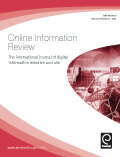
But it wasn’t a catalog. It was a stack of copies of an article I wrote with one of my library school professors and which has just been put out by Online Information Review. Suddenly the day doesn’t seem quite so dark and dreary.

Zhang, Jin and Iris Jastram. “A Study of Metadata Element Co-Occurrence.” Online Information Review. 30.4 (2006): 428-453.

p.s. This is also my 200th post!

6 Comments

Endeca Making More Inroads Into Libraries

Search and discovery is changing rapidly in libraries. Last January the North Carolina State University Libraries overlaid their ILS with an Endeca-powered search interface (here’s their catalog, and here’s their announcement from last January). This caused quite a bit of talk about dis-integrating out library systems and was a key feature in my research into the future of the catalog (see my list of related posts below).

Since then the NextGen Catalog listserv has undertaken to plan out the catalog of the future and WorldCat has gone open-access and web 2.0-ish.

And last night, ResourceShelf alerted me to the fact that McMaster has just overlaid their catalog with Endeca (Endeca press release here and McMaster’s news item here). If this trend continues I see three possible futures for our catalogs: our ILS vendors will improve their search interfaces, third party search vendors will get better and better at working with MARC and library ILSs, or (best of all) both the previous two will happen and libraries will have a real choice in search and discovery systems and functionality for the first time.

Related posts:

Leave a Comment
css.php