Skip to content

Category: Social Web

Gimme Gimme Gimme

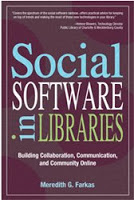
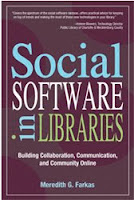
Yeah. Big ol’ “Me Too!” on this one. Cuz why? Cuz Meredith rocks, that’s why. Oh, and the book looks good, too.

There’s a section in the first chapter (a much better teaser than most introductions, btw) that I think asks the essential question: Why should librarians care about social software? Answer it for you and your library, adopt Meredith’s answers, or do whatever else it takes, but don’t leave this question on the back burner.

My answers? Well, they map very closely onto Meredith’s, and they’re constantly evolving, but here’s a sketch of their current state. I have not found that my students are very familiar with many of the social software we talk about all the time. I’ve had students ask me why I’d want to IM, diss Facebook and MySpace, give me blank stares when I mention social bookmarks, wonder what Flickr is and point out that I’ve left of the “e.” And don’t even get me started on RSS. But that doesn’t mean that social software isn’t important to me in my library with my user community.

No, social software is still important for many reasons, but foremost in my environment is that it’s a way for me to provide value-added, nimble, real-time, personalized access to online resources and research support, learn from and collaborate with colleagues near and far, and improve my own workflow and my students’ workflows. Six months from now, these reasons will have evolved again, I’m sure. But through it all Meredith’s last paragraph says it all. These things are, above all, tools. They’re tools that help libraries stop being faceless institutions and start being teams of people helping people.

Leave a Comment

Social Bookmarking and 5 Weeks

This week was Social Bookmarking and RSS week over at 5 Weeks to a Social Library (which, by the way, is the best thing to happen in online learning since sliced bread… which didn’t happen in online learning, but you get my meaning). The participants are writing such wonderful things into their blogs, and I’m learning so much from them.

I’m also remembering what life was like for me just a year ago. A year ago RSS was, for me, just some kooky techno-geeky acronym. My co-workers were buzzing about it, but I didn’t get it. (Yeah, remember when you thought a microwave “might come in handy every once in a while”?… Yeah… That’s what I thought about RSS.) My first week at work, they recommended Thunderbird as my email application for many reasons, including it’s ability to read RSS feeds. I tried not to show my complete ignorance about what that was, or why I might want to be able to read these things, by nodding, smiling, and downloading Thunderbird. It was weeks later that I finally asked somebody to show me how this RSS thing worked, and almost 9 months later before I started actually subscribing to stuff. [Update: I only use Thunderbird to subscribe to one internal library blog, which requires authentication, which Thunderbird can handle and Bloglines and Google Reader can’t … as far as I know. But it was my first intro to RSS.]

Another thing my co-workers mentioned my first week at work was Furl. They set me up with an account and told me to have fun bookmarking stuff. They even showed me their archives. “Huh,” I thought, “That’s kinda cool. I’m glad it works so well for them.” And I continued on my merry way.

Fast forward to today and the story is much, much different. I use RSS even more than my microwave, and I’m starting to be able to integrate social bookmarking into my concept of myself as a liaison librarian in ways that I would never have imagined previously. To some extent this has to do with what I’m coming to believe is a natural progression in my techno-life: I need a tool to do something for me and my own work, then I see how it can be applied more broadly in my semi-public professional life, and finally I start applying it in my curricular endeavors. Only rarely does this progression change.

But to get back to the point, I completely understand some of the 5 Weeks participants’ concerns that this is fun, but somewhat irrelevant (that’s an overstatement of their conversation, but the concern is there, I think). And I think it’s important to remember that tools are great, but not for their own sake, or even because they work well for someone else. Tools are only great to the extent that they help you and your library with your own workflow and your own services to your community.

I would simply caution anyone from writing off a tool before seeing someone else’s full-fledged and rich use of it. For me, my inspiration came from seeing Kristin’s data blog and her amazing furl account and from seeing Heather’s furl account in action as she tagged primary source collections or resources for specific classes or even specific students. Seeing these things in action, actually using them to help me answer questions at the reference desk, finally helped me “get it.” That’s when I adopted del.icio.us and started building a curricular and professional link collection. That’s when I started understanding how social bookmarking could be useful to a subject librarian.

Now I’ve got three subject pages that either link to specific tags in my del.icio.us account or link to pages generated by del.icio.us (such as this section of the Art & Art History research guide which links to this RSS-fed page). And this is just the beginning. Now that I’ve started down this path, I can see that it’s going to be an integral part of my liaison activities. I can only hope that one day my link library will be as rich as my co-workers’.

By the way, I highly recommend Jason’s webcast on social bookmarking, created for 5 Weeks (you need to view it in IE). Watch it remembering that this isn’t tools for tools’ sake. It’s a tool that can help you DO something. (Granted, the “something” you can do is becoming more and more important as more and more authoritative information goes up on the free web.) And I think that’s the test we have to put to all these wonderful tools that spring up every day. Does it do something to help me and my library, our workflow, or my library’s users?

I don’t have time to “play around” with tools, and even the wonderful idea of “giving staff time to play” is only useful if the staff have specific needs. “Playing” with new tools is time-consuming and ultimately not as rigorous a test of the tools’ worth as actually using the tools. And even then you’ll have to prioritize. For example, I love the idea of podcasting. I really do. But I’m not doing it. I’ve done the cost-benefit analysis and podcasting came out below bookmarking, teaching, research guides, copyright education, and all the rest. This doesn’t mean that in another year I won’t be podcasting. I have no idea if I will or won’t, but I know that for right now I see wonderful examples of other libraries really leveraging it for their patrons and I think, “Huh. That’s kinda cool. I’m glad it works for them.”
11 Comments

Libraries and Social Software

Four colleagues (from three schools) and I will be presenting on Thursday on the topic of social software, what role the library can play, what networking tools the library can infiltrate -er- participate in effectively, and who is responsible for teaching (and learning) these tools.

This is my first experience collaborating on a presentation with people from more than one school, and it’s quite a challenge. How do you do all those little negotiations, so dependent on voice and body language, to figure out who wants to present what, what our shared goals are, and how to present our topics effectively? How do you put together an outline, divvy up jobs, and ultimately get this thing done without ever meeting in person?

These challenges pretty much prevented us from planning much until today. And yes, the presentation is on Thursday, but such is life. Honestly, none of our schedules meshed very well until today, but even so I think we could have stepped up a little sooner if we’d been working in the same building.

But a couple of weeks ago we did manage to get a wiki going, and as is par for the course, it’s developed kind of a life of it’s own. It has the standard stuff: the speaking outline and notes about our ideas there. But we’re also going to use one page (currently called “Our Presentation“) in place of a PowerPoint or other projected presentation guide. It’ll include a rough sketch of our outline plus all the links we need for our live demonstrations (pray for happy internet gods that day!). We’ll also have our handout up there so attendees can go back and find it later, should they ever want to. They’ll also be able to see the wizard behind the curtain, since they’ll have access to all our brainstorming and speaking notes… but I hope that’s a good thing.

It wouldn’t have been practical for us to put everything together without actually talking to each other and performing all the little negotiations that are necessary, though. It would have been to slow. So today we spent some time in conference chats with each other and then even more time actually talking to each other on a conference call. We all talked, and I took notes into the wiki, which worked out rather nicely.

Now I just hope the presentation itself goes smoothly…

2 Comments

Feeding the Free Web

As more and more rich, wonderful, authoritative sources go up on the free web, the trick becomes finding it, organizing it, and making it available. And I’m sorry, but I’m not going to bug our catalogers every time I run across a great site online, no matter how accommodating they are whenever I’ve decided to go that route. But handing them anywhere from 5 to 50 links per week would be a prohibitive pain in the neck, even if formal classification in the catalog would provide the best access, or even if we could be sure that the URLs would be stable. I just wouldn’t do it. I’d spend more time than I have to spare agonizing over whether or not it was “worth it” for each site, and in the end they’d just pile up and become one of the looming projects that I always know I should be getting to but never seem to actually do.

So I’ve been trying to keep track of these things in my del.icio.us library, and now that I’ve got a mini curricular and professional library building up, I’ve started feeding the annotated links to web pages attached to my research guides.

So far I only have two up and running. One is on my subject guide for Art and Art History here, which encourages students to see recent items here, or just play around on my del.icio.us library for themselves.

It’s not a perfect solution, and I’m still having trouble standardizing my tagging practices… And I’m not sure if students will ever actually USE the links. But in my imaginary world they’ve all (even the pre-majors) flocked to the newly updated pages and are gazing in wonder at the amazing-ness that is an RSS-fed page of annotated links.

Hey, a girl can dream.

2 Comments

Being on the Other Side of Chat Reference

Yesterday I was asked if I could help someone find the first known translation of a Russian short story (from the early 17th century) into German. In no time flat I’d found a bibliography and was composing my email response when I realized she’d asked for first translation into German… not English, and no bibliographies we have would record such a date.

Scrapping that email I wrote another one about using WorldCat to find bibliographies of this author’s works, and then limiting the language to German, because a German bibliography might just record the date she needed. (I don’t think she quite understood my response, though, but that’s another story.)

Anyway, then one of my co-workers pointed out that the University of Illinois has a whole library devoted to modern languages, and they might have such a bibliography. And sure enough, their catalog returned a record for something that looked promising, if only I could read the German. But I didn’t really want to ILL the enter book on the off chance that it contained the date I needed, so I hopped onto their As A Librarian page and, on a whim, chose the chat option. I’ve never been on this end of chat reference, so I was curious to see it in action.

I explained who I was and what I needed, and the librarian was very friendly and helpful, but in the end had me email my request so that she could give it to someone with an actual command of the languages in question.

This more specialized librarian found what I needed in a Russian-language bibliography, even scanning the page from the bibliography (which I still can’t read) so that my patron could see all the information.

What helpful people! And I’ve got to say, I really enjoyed starting out my quest via chat so that I could clarify myself when the librarian didn’t understand what I needed without having to play email tag. By the time I composed the email I was much more confident that I’d be able to write a question that the librarian on the other end would understand.

I’ve always been hesitant to ask for help from people I don’t know. Before library school I had never in my life asked a librarian for help. But every time I have an interaction like this a little more of that old hesitancy dies. World, beware.

4 Comments

I Knew It!

Remember last year when I wondered what letter would become popular next? Remember I said it would be “s” for “social?” Looks like there’s a possibility I was right. John Blyberg is working on the SOPAC — the social -er- catalog. And man, oh man, does it look good. And you don’t even have to be a library card holder to participate!

But that’s not even the good part. No, the good part is that he’s made his code public.

So let me be among the first to say, “Me too! Me too! I like this idea too!”

[Update: As I suspected, this is getting major buzz in the biblioblogosphere, so I’ve created two ways to keep up with it. You can see (and subscribe to) the posts I’ve read on the topic here. And you can see (and subscribe to) a libworm search for the topic here.]

1 Comment

Collaboration, Social Software, and My Strange Obsession With My Virtual Life

I didn’t even get to turn on my computer until 3:00 today. Thank goodness I have pretty much permanent access to a laptop at work because I’ve been living off that today. (Heaven forbid I go for more than a few minutes without a softly glowing screen in front of me.) But in among reference desk shifts and meetings, I was asked to take stock of the collaborative technologies I use.

Here’s the backstory. Back in August people from the library and IT met to discuss collaboration: what we’d done together, what we’re planning to do, and how to enhance collaboration. You may remember that meeting from this post. Out of that meeting grew a new group on campus called the Info Services Forum. This group coordinates periodic (about twice-monthly) sessions at which staff (or interested faculty) can either present or discuss a topic of general interest. Anyone on campus is invited, and there’s free lunch to the first 40 or 50 who show up.

So far we’ve had a session on the planned reorganization of the campus web site (complete with discussions of usability and organization, as well as breakout focus groups on specific organizational ideas). Then there was a session on the new campus copyright policy at which Dan Donnelly from the University of Minnesota’s Copyright Information and Education group gave a really wonderful talk copyright for educational campuses.

Now we’ve had the first of two sessions dealing with collaborative tools, and for the second session they want to put up a slide listing what people here are using already. Here’s my list.

  • del.icio.us (for my own professional work, collaborating/sharing with my co-workers and other librarians, and building a curricular link library for students)
  • Google Docs & Spreadsheets
  • AIM/Google Talk/MSN Messenger/Meebo
  • Blogs (several, some for workplace collaboration, others to communicate with the outside world — a couple are Carleton-supported and a couple aren’t)
  • Shared Google Calendar
  • Moodle
  • Backpack (for shared To Do lists)
  • Bloglines (to share what I’ve found with others (most of my feeds are public), or to learn what others have found, as well as to keep up with my professional and personal blog/journal feeds. I can also keep up with things like updates to wikis or public google docs using RSS.)
  • Flickr
  • LibraryThing (share books, reviews, etc.)
  • I’ve also experimented with Wet Paint (a wiki) as a place to build a curricular resource wiki, though I haven’t had time to work on it for a while.

So, there you have it. Except for the wiki, these are things that I use at least weekly, and often multiple times per day. But just because the first thing I do in the morning is turn my computer on and the last thing I do at night is turn the computer off doesn’t mean anything. I could quit any time…

2 Comments

LibraryThinged

Because I’m a nerd, I spent much of my holiday weekend listening to NPR and cataloging my books in LibraryThing. Here’s what I wrote about my collection:

I’ve always been a heavy library user, so the books that I keep at home tend to fall into three categories: things I read in college and grad school, things I’ve read on planes or vacation, or things I can’t get at my local libraries. I also have a small collection of juvenile fiction that I read when I was young and thought might go out of print and get deselected from libraries. I probably won’t be very disciplined about including library books that I borrow in this collection.

I can’t figure out if I’m glad or sorry that I started this project after weeding my collection down to half or a third of what it used to be. I’m pretty sure I’m glad, though, because working on my laptop (without a convenient number pad) typing in all those ISBNs is a pain. I also discovered that I have a LOT of books that don’t have ISBNs. Those are a major pain to find and enter. I spent the longest time searching for a record for my 1930 edition of The Adventures of Sherlock Holmes.

I’d put off even looking at LibraryThing until last month mostly because it sounded like just the sort of thing I’d get addicted to and spend way too much time doing. But finally the call of another mode for sharing and organizing stuff became too strong for me and I caved.

Still, even though I had a lot of fun and can see this becoming as much a part of my life as my Flickr and del.icio.us have become, there are a couple of things I’d like to be able to do but can’t. I’m still not sure if I can’t because there is no way, or because I haven’t figured out the way, but here goes.

What I wish I could do (or may be able to do but can’t figure out how):

  • Sort by multiple fields at the same time
  • See who has added me to their watch list, or who other people are watching (a la del.icio.us networking or Flickr contacts)
  • Click on tags other people have given to my book, or selections from my own tags, in order to tag my books. (I hated going back after a couple of days and finding that I’d been hyphenating some works at one point and not later one.)
  • Batch editing/merging of tags.
  • Public/Private comments
  • Fields for translators/illustrators
  • “Advanced search” of multiple fields (like title, author, date, and publisher) to cover those times when you run into a whole shelf of books with no ISBNs.

I’ve found a couple of familiar people out there and added them to my watch list, but only a very, very few. Anybody out there who wants to share your LibraryThing name?

5 Comments

Tagging

Have you ever noticed that librarians often tag things using plurals for countable nouns, just as if we’re creating subject headings? I’ve noticed this in my own tagging, in other librarians’ Flickr tagging, and on Technorati. I smile every time I see other people who have the same habit I have. It’s so … cute. 🙂

Technorati tags:

Leave a Comment

Woah! Meebo Got a Facelift

I just logged in to Meebo (hoping to find a little human interaction) and almost didn’t recognize the new, spiffy interface. And according to their blog post, it’s not just the visual part that got an upgrade. Now you can pop a chat window out of the main browser window, drag and drop people into different buddy categories, more easily manage signing on and off of individual screen names, and more. Cool!

Technorati tags: ,

Leave a Comment
css.php