Skip to content

Category: Tools and Technology

Blogaversary Month

I just realized that my one-year blogiversary is coming up in 3 weeks and a day. My how time has flown. How should I best celebrate such a thing? Part of me wants to go all wild and crazy-like and get myself my own domain name and a blogging platform upgrade, just for the heck of it.

The other part of me laughs aloud at that first part and wonders if there’s a way to get out of this mutual appointment to my body.

*checks contract between halves of self*

*realizes futility of separation*

*sighs and returns to work*

2 Comments

“Extra” Metadata: Two Roads in that Yellow Wood

And while I’m in a musing mood… I think there are two directions you can go when faced with metadata (be it AACR2, Dublin Core, or what have you) that’s populated with a whole bunch of information.

You could say, “Hey, we’re putting more information into this record than our patrons use, so let’s not work so hard.” (Better study your patrons good and hard, though, before assuming you know this for a fact.)

Or you could say, “Hey, we’ve got all this stuff. What could we do with it that we aren’t doing yet?” (But be aware that this could range from the simple to the we’d-need-to-hire-programmers complex.)

The path you choose will depend on your circumstances, your patrons, and your ability to dream up ways to exploit metadata. But the path you choose will make all the difference.

Leave a Comment

Gimme Gimme Gimme

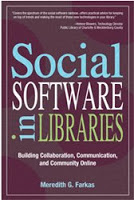
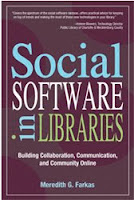
Yeah. Big ol’ “Me Too!” on this one. Cuz why? Cuz Meredith rocks, that’s why. Oh, and the book looks good, too.

There’s a section in the first chapter (a much better teaser than most introductions, btw) that I think asks the essential question: Why should librarians care about social software? Answer it for you and your library, adopt Meredith’s answers, or do whatever else it takes, but don’t leave this question on the back burner.

My answers? Well, they map very closely onto Meredith’s, and they’re constantly evolving, but here’s a sketch of their current state. I have not found that my students are very familiar with many of the social software we talk about all the time. I’ve had students ask me why I’d want to IM, diss Facebook and MySpace, give me blank stares when I mention social bookmarks, wonder what Flickr is and point out that I’ve left of the “e.” And don’t even get me started on RSS. But that doesn’t mean that social software isn’t important to me in my library with my user community.

No, social software is still important for many reasons, but foremost in my environment is that it’s a way for me to provide value-added, nimble, real-time, personalized access to online resources and research support, learn from and collaborate with colleagues near and far, and improve my own workflow and my students’ workflows. Six months from now, these reasons will have evolved again, I’m sure. But through it all Meredith’s last paragraph says it all. These things are, above all, tools. They’re tools that help libraries stop being faceless institutions and start being teams of people helping people.

Leave a Comment

Social Bookmarking and 5 Weeks

This week was Social Bookmarking and RSS week over at 5 Weeks to a Social Library (which, by the way, is the best thing to happen in online learning since sliced bread… which didn’t happen in online learning, but you get my meaning). The participants are writing such wonderful things into their blogs, and I’m learning so much from them.

I’m also remembering what life was like for me just a year ago. A year ago RSS was, for me, just some kooky techno-geeky acronym. My co-workers were buzzing about it, but I didn’t get it. (Yeah, remember when you thought a microwave “might come in handy every once in a while”?… Yeah… That’s what I thought about RSS.) My first week at work, they recommended Thunderbird as my email application for many reasons, including it’s ability to read RSS feeds. I tried not to show my complete ignorance about what that was, or why I might want to be able to read these things, by nodding, smiling, and downloading Thunderbird. It was weeks later that I finally asked somebody to show me how this RSS thing worked, and almost 9 months later before I started actually subscribing to stuff. [Update: I only use Thunderbird to subscribe to one internal library blog, which requires authentication, which Thunderbird can handle and Bloglines and Google Reader can’t … as far as I know. But it was my first intro to RSS.]

Another thing my co-workers mentioned my first week at work was Furl. They set me up with an account and told me to have fun bookmarking stuff. They even showed me their archives. “Huh,” I thought, “That’s kinda cool. I’m glad it works so well for them.” And I continued on my merry way.

Fast forward to today and the story is much, much different. I use RSS even more than my microwave, and I’m starting to be able to integrate social bookmarking into my concept of myself as a liaison librarian in ways that I would never have imagined previously. To some extent this has to do with what I’m coming to believe is a natural progression in my techno-life: I need a tool to do something for me and my own work, then I see how it can be applied more broadly in my semi-public professional life, and finally I start applying it in my curricular endeavors. Only rarely does this progression change.

But to get back to the point, I completely understand some of the 5 Weeks participants’ concerns that this is fun, but somewhat irrelevant (that’s an overstatement of their conversation, but the concern is there, I think). And I think it’s important to remember that tools are great, but not for their own sake, or even because they work well for someone else. Tools are only great to the extent that they help you and your library with your own workflow and your own services to your community.

I would simply caution anyone from writing off a tool before seeing someone else’s full-fledged and rich use of it. For me, my inspiration came from seeing Kristin’s data blog and her amazing furl account and from seeing Heather’s furl account in action as she tagged primary source collections or resources for specific classes or even specific students. Seeing these things in action, actually using them to help me answer questions at the reference desk, finally helped me “get it.” That’s when I adopted del.icio.us and started building a curricular and professional link collection. That’s when I started understanding how social bookmarking could be useful to a subject librarian.

Now I’ve got three subject pages that either link to specific tags in my del.icio.us account or link to pages generated by del.icio.us (such as this section of the Art & Art History research guide which links to this RSS-fed page). And this is just the beginning. Now that I’ve started down this path, I can see that it’s going to be an integral part of my liaison activities. I can only hope that one day my link library will be as rich as my co-workers’.

By the way, I highly recommend Jason’s webcast on social bookmarking, created for 5 Weeks (you need to view it in IE). Watch it remembering that this isn’t tools for tools’ sake. It’s a tool that can help you DO something. (Granted, the “something” you can do is becoming more and more important as more and more authoritative information goes up on the free web.) And I think that’s the test we have to put to all these wonderful tools that spring up every day. Does it do something to help me and my library, our workflow, or my library’s users?

I don’t have time to “play around” with tools, and even the wonderful idea of “giving staff time to play” is only useful if the staff have specific needs. “Playing” with new tools is time-consuming and ultimately not as rigorous a test of the tools’ worth as actually using the tools. And even then you’ll have to prioritize. For example, I love the idea of podcasting. I really do. But I’m not doing it. I’ve done the cost-benefit analysis and podcasting came out below bookmarking, teaching, research guides, copyright education, and all the rest. This doesn’t mean that in another year I won’t be podcasting. I have no idea if I will or won’t, but I know that for right now I see wonderful examples of other libraries really leveraging it for their patrons and I think, “Huh. That’s kinda cool. I’m glad it works for them.”
11 Comments

Libraries and Social Software

Four colleagues (from three schools) and I will be presenting on Thursday on the topic of social software, what role the library can play, what networking tools the library can infiltrate -er- participate in effectively, and who is responsible for teaching (and learning) these tools.

This is my first experience collaborating on a presentation with people from more than one school, and it’s quite a challenge. How do you do all those little negotiations, so dependent on voice and body language, to figure out who wants to present what, what our shared goals are, and how to present our topics effectively? How do you put together an outline, divvy up jobs, and ultimately get this thing done without ever meeting in person?

These challenges pretty much prevented us from planning much until today. And yes, the presentation is on Thursday, but such is life. Honestly, none of our schedules meshed very well until today, but even so I think we could have stepped up a little sooner if we’d been working in the same building.

But a couple of weeks ago we did manage to get a wiki going, and as is par for the course, it’s developed kind of a life of it’s own. It has the standard stuff: the speaking outline and notes about our ideas there. But we’re also going to use one page (currently called “Our Presentation“) in place of a PowerPoint or other projected presentation guide. It’ll include a rough sketch of our outline plus all the links we need for our live demonstrations (pray for happy internet gods that day!). We’ll also have our handout up there so attendees can go back and find it later, should they ever want to. They’ll also be able to see the wizard behind the curtain, since they’ll have access to all our brainstorming and speaking notes… but I hope that’s a good thing.

It wouldn’t have been practical for us to put everything together without actually talking to each other and performing all the little negotiations that are necessary, though. It would have been to slow. So today we spent some time in conference chats with each other and then even more time actually talking to each other on a conference call. We all talked, and I took notes into the wiki, which worked out rather nicely.

Now I just hope the presentation itself goes smoothly…

2 Comments

Wish Me Luck: Tackling One of the Least User Friendly Databases We Have

Tomorrow I have to teach a WilsonWeb database for the first time. I’ve recommended databases we get through Wilson to students but never had to concentrate on one before.

It’s just a simple class… 8 students, two databases, simple assignment. We’ll be meeting in the reference area and working on our big SmartBoard together, and then we’ll move to individual computers in the reference area. Even so, I’m feeling the need to dig into WilsonWeb tutorials (which, by the way, if you click “help” and then “tutorial” when you’re in a database, it asks you if you’re using a Bibliographic Database, Full Text Database, Biography Database, Image Database, Standard Catalog Collection Development Database, Multiple Databases, or a Facts Database… What the… Even I had to back out, go figure out what kind of database I was in, and then come back before being able to access the stupid tutorial! Shouldn’t “help” know what kind of database I’m in?!? Yeesh.)

So, to help me should I ever have to teach this stuff again, here are the more-or-less helpful things I’ve found so far.

Maybe one of these will explain why I can never navigate these databases without hurting my brain, why when you think you’re opening a single citation you’re actually just switching to the “full” display of the result list, and why the thesaurus is so clunky to navigate. And it’s a good thing we’re not working on a full text database. The HTML full text option from those is incredibly bad. All formatting in those full text articles appears as multiple question marks.

Don’t get me wrong. The interface is better than it was last year. But still… (Oh, and the page that announced the enhancements listed in the link above included the URL as text, not a link. Seriously.)

Sorry… I’m more than usually grumpy at the moment. It just seems like the vendor of our library-related databases should be more usable. As it is, it’s a sad irony.

Leave a Comment

Feeding the Free Web

As more and more rich, wonderful, authoritative sources go up on the free web, the trick becomes finding it, organizing it, and making it available. And I’m sorry, but I’m not going to bug our catalogers every time I run across a great site online, no matter how accommodating they are whenever I’ve decided to go that route. But handing them anywhere from 5 to 50 links per week would be a prohibitive pain in the neck, even if formal classification in the catalog would provide the best access, or even if we could be sure that the URLs would be stable. I just wouldn’t do it. I’d spend more time than I have to spare agonizing over whether or not it was “worth it” for each site, and in the end they’d just pile up and become one of the looming projects that I always know I should be getting to but never seem to actually do.

So I’ve been trying to keep track of these things in my del.icio.us library, and now that I’ve got a mini curricular and professional library building up, I’ve started feeding the annotated links to web pages attached to my research guides.

So far I only have two up and running. One is on my subject guide for Art and Art History here, which encourages students to see recent items here, or just play around on my del.icio.us library for themselves.

It’s not a perfect solution, and I’m still having trouble standardizing my tagging practices… And I’m not sure if students will ever actually USE the links. But in my imaginary world they’ve all (even the pre-majors) flocked to the newly updated pages and are gazing in wonder at the amazing-ness that is an RSS-fed page of annotated links.

Hey, a girl can dream.

2 Comments

WorldCat Even Slicker

I just got an email from WorldCat saying that I could update my blog widget (see the bottom of my sidebar) so that it’s no longer a bright blue on my tan-ish/yellow-ish background. But the really cool part is what’s included in the rest of the email:

  • Automatic geographic location by IP address
    WorldCat.org library results for a particular item now determine the geographic location for a user based on IP address, even when the user has never before entered a postal code.


  • Users can expand faceted browse results
    The faceted browse feature of WorldCat.org search results now allows a user to expand the abbreviated results within each facet via a “Show More” link. Faceted browse allows a user to dynamically filter search results by categories, or facets, using the left-hand Refine Your Search panel, helping users narrow a large result set. Each facet in its initial state displays only the five most relevant results. The “Show More” link lets the user incrementally reveal 25 additional results at a time, up to 100 results within the facet.
  • More visibility for evaluative content and Web resource links
    Individual item records reached from WorldCat.org search results now include links to supplemental Web content at the record level. Previously displayed beneath the “Details” tab, these links can include publisher-provided item descriptions, author biographies and Web sites, tables of contents and content excerpts.

    Additional links may be provided with the heading “Web Resources,” which may give a user access to content related to the displayed item. If the displayed item is a digital object—such as an electronic book, or a digitally preserved photo, document or artifact—the link may provide direct viewing or retrieval of the object.

They’ve also added a Chinese language interface, and made it so that you can embed a keyword, subject, title, or author. That url will then lead to a result list as if you’d done a keyword search or a search on those common indices. A tutorial on that is here.

Leave a Comment

Being on the Other Side of Chat Reference

Yesterday I was asked if I could help someone find the first known translation of a Russian short story (from the early 17th century) into German. In no time flat I’d found a bibliography and was composing my email response when I realized she’d asked for first translation into German… not English, and no bibliographies we have would record such a date.

Scrapping that email I wrote another one about using WorldCat to find bibliographies of this author’s works, and then limiting the language to German, because a German bibliography might just record the date she needed. (I don’t think she quite understood my response, though, but that’s another story.)

Anyway, then one of my co-workers pointed out that the University of Illinois has a whole library devoted to modern languages, and they might have such a bibliography. And sure enough, their catalog returned a record for something that looked promising, if only I could read the German. But I didn’t really want to ILL the enter book on the off chance that it contained the date I needed, so I hopped onto their As A Librarian page and, on a whim, chose the chat option. I’ve never been on this end of chat reference, so I was curious to see it in action.

I explained who I was and what I needed, and the librarian was very friendly and helpful, but in the end had me email my request so that she could give it to someone with an actual command of the languages in question.

This more specialized librarian found what I needed in a Russian-language bibliography, even scanning the page from the bibliography (which I still can’t read) so that my patron could see all the information.

What helpful people! And I’ve got to say, I really enjoyed starting out my quest via chat so that I could clarify myself when the librarian didn’t understand what I needed without having to play email tag. By the time I composed the email I was much more confident that I’d be able to write a question that the librarian on the other end would understand.

I’ve always been hesitant to ask for help from people I don’t know. Before library school I had never in my life asked a librarian for help. But every time I have an interaction like this a little more of that old hesitancy dies. World, beware.

4 Comments

I Knew It!

Remember last year when I wondered what letter would become popular next? Remember I said it would be “s” for “social?” Looks like there’s a possibility I was right. John Blyberg is working on the SOPAC — the social -er- catalog. And man, oh man, does it look good. And you don’t even have to be a library card holder to participate!

But that’s not even the good part. No, the good part is that he’s made his code public.

So let me be among the first to say, “Me too! Me too! I like this idea too!”

[Update: As I suspected, this is getting major buzz in the biblioblogosphere, so I’ve created two ways to keep up with it. You can see (and subscribe to) the posts I’ve read on the topic here. And you can see (and subscribe to) a libworm search for the topic here.]

1 Comment
css.php