Skip to content

Category: Random Thoughts

2020 Census and the “Privacy Budget” (aka Differential Privacy)

Maybe I’m the last one to know about this, but just in case… Did you know that the Census Bureau is changing what and how it’ll release data the 2020 Census? I mentioned this in passing in my last post, but here’s a little more, most of which you can find by reading the posts and presentations on the Census’ Disclosure Avoidance and the 2020 Census page.

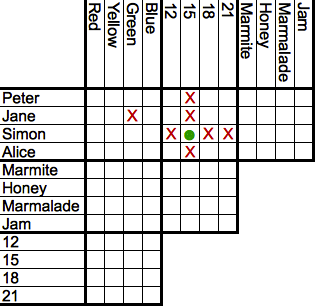
CC-BY-SA image by Salix alba posted at Wikimedia Commons

The data scientists at the Census Bureau have been experimenting for the last few years, and it turns out that they were able to reconstruct private information about individual citizens using a process not unlike solving a Sudoku puzzle or one of those grid logic puzzles. They only release de-identified data, but if you know what you’re doing you can figure out a goodly percentage of the identifications. It’s called Re-Identification or Database Reconstruction.

One way to solve this problem is to never provide 100% accurate results to queries on the database. Without 100% accurate query results, no clever data scientists can take the answers from query 1 and fit it next to the answers from queries 2 through x, or put it next to their dataset of bank loan applications or whatever, and know for sure that they have accurate answers to those queries and therefore reconstruct the database. Adjusting results by a privacy parameter, which will probably be a very very tiny parameter, is at the heart of what’s called Differential Privacy (and here a big shout out to Dr Steven Wu from the University of Minnesota, whose recent talk at Carleton helped me understand the math behind this process). The Census is presenting this parameter or set of parameters as their “Privacy Budget.” Once they’ve disclosed everything in the budget, they can’t disclose more without doing harm.

As of the presentation from October 1st, 2019 that’s posted to the Disclosure Avoidance and the 2020 Census page, the Census hasn’t yet quite decided what this privacy parameter will be. It sounds like they’re thinking it’ll vary depending on exactly how sensitive the information is or the amount of other information that’s been requested. But of course the main question is exactly how accurate the disclosed results have to be in order to allow people to do the work they need to do to run the country and distribute aid and know about our population. The more accurate the disclosures, the more risk of privacy problems. The more obscured the results, the more risk that we’ll struggle to know what we need to know in order to do what we need to do.

If this is a topic you’re interested in or care about, there are a bunch of things published by the Census statistician John Abowd that I found while exploring this topic with data-interested faculty here at Carleton.

  • Abowd, John. 2016. “Why Statistical Agencies Need to Take Privacy-Loss Budgets Seriously, and What It Means When They Do.” Labor Dynamics Institute, December. https://digitalcommons.ilr.cornell.edu/ldi/32.
  • Abowd, John M. 2016. “How Will Statistical Agencies Operate When All Data Are Private?” Journal of Privacy and Confidentiality 7 (3). https://doi.org/10.29012/jpc.v7i3.404.
  • Abowd, John M., and Ian Schmutte. 2017. “Revisiting the Economics of Privacy: Population Statistics and Confidentiality Protection as Public Goods.” Labor Dynamics Institute, April. https://digitalcommons.ilr.cornell.edu/ldi/37.
  • Abowd, John M., and Ian M. Schmutte. 2019. “An Economic Analysis of Privacy Protection and Statistical Accuracy as Social Choices.” American Economic Review 109 (1): 171–202. https://doi.org/10.1257/aer.20170627.

I’m really curious to see how this plays out, not least because it’ll impact all the researchers I work with who use census data in so very many of their research projects. But I’m also curious to see how this and similar efforts bleed out into other Big Data conversations in my world, like Learning Analytics for example.

1 Comment

Citation Style Alignment

Good friend and Professor Extraordinaire Adriana Estill shared this alignment chart with me this morning. Happy Friday!

(Not sure what this is? Here’s more about alignment charts. I think this must be the original, by Jonathon Owen.)


Edited to Add: If you’ve ever supported legal citation, you’ll know why Friend of the Blog, Pete Smith of Sheffield Hallan University, suggested this addition, which I have added to the alignment chart:

2 Comments

Information Has Value – Computer Science edition

After yesterday’s post I had a fascinating discussion with someone who codes for a living about whether patents were a viable research resource in CS. First off, they’re extremely hard to understand. And yes, I definitely agree, and it’s a good reminder that when I talk about this with students I also talk explicitly about what I expect they’ll be able to learn from the exercise.

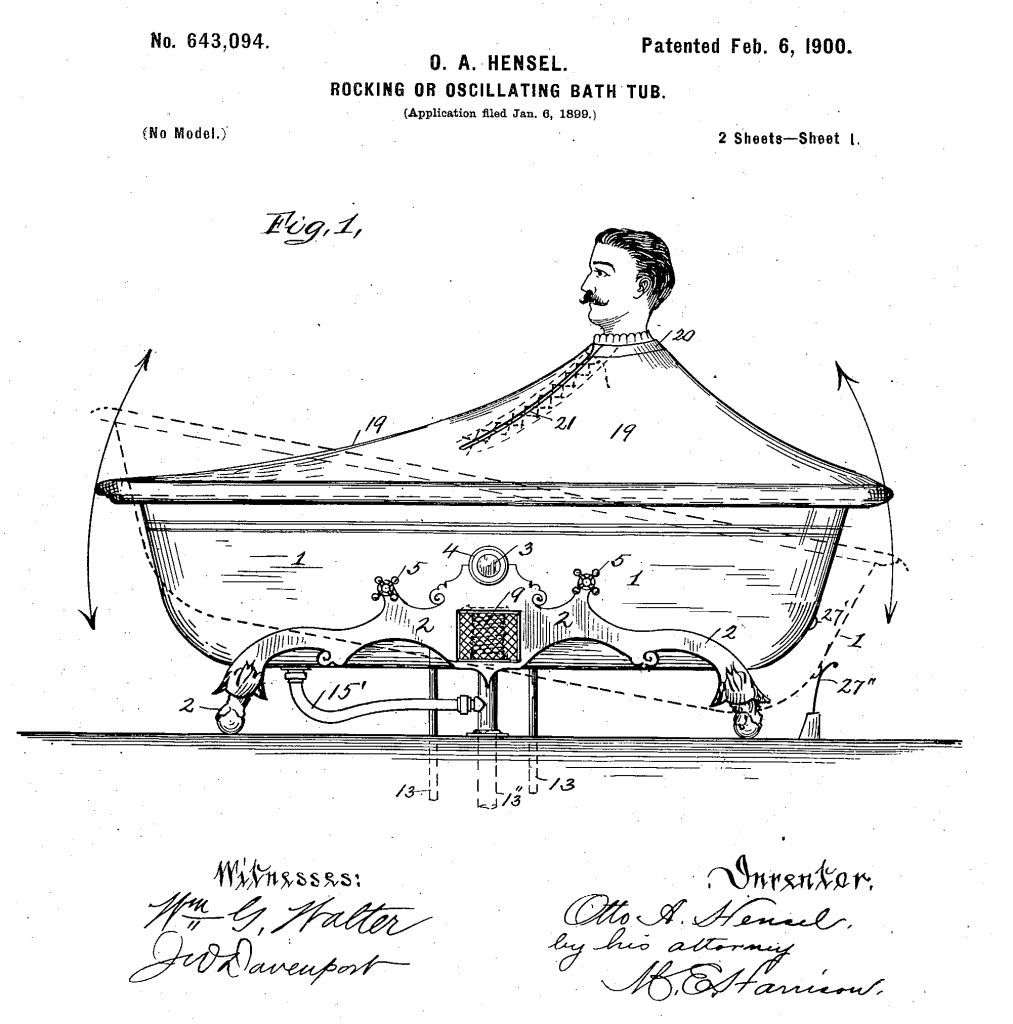
Hensel, Otto A. 1900. Rocking or oscillating bath-tub. United States US643094A, filed January 6, 1899, and issued February 6, 1900.
  1. If you find a patent that you think is related to your topic, look at other similarly classified patents to see what problems people are tackling in the field and who is tackling them.
  2. As you look through similarly classified patents, collect vocabulary that you can use in future searches. After all, most search systems simply match letters in a row rather than semantics, so if people are talking about the same thing but using different words to do so, you won’t find that whole side of the conversation.

While reading in order to understand the patented process is probably not feasible for most people, reading instrumentally has been super useful for me when exploring CS topics.

So far so good, but what really set me thinking was this industry coder’s take on the disadvantages of reading patents. Apparently he’s told not to read patents because knowingly infringing on someone else’s IP brings worse penalties than unknowingly infringing. In order to mitigate penalties, they don’t look at patents. So now I’m wondering how to guide students as they prepare for a world in which, at least some of the time, lack of information has value. And how do I square that with the idea of the very real costs involved in having a bunch of people reinventing wheels and falling into the same pitfalls, all so that if they get sued it won’t be quite so bad? And how do I square that with how this upends the progress narrative of the sciences in general, a set of disciplines which so carefully finds gaps in knowledge and then fills them, or finds the limits of current knowledge and then pushes those limits back bit by bit?

I wonder if it matters what sector you’re in, or even what specific companies you’re working for. And I wonder how liberal arts students might engage with this conundrum in a way that prepares them for life after graduation, whether that life involves CS careers or not.

Leave a Comment

A change is as good as a rest?

Things have been pretty intense around here for mumble-mumble years, and for most of the last 3-4 years I’ve been doing more than just my own job while we cover for open positions and run searches and stuff. (There was a lovely 6 months in there while we were fully staffed, but that didn’t last.) But now that my department is fully staffed again I find that my brain isn’t braining very well. Even after a lovely long visit to my family, apparently my brain has more resting to do before it’ll kick back into gear after such a marathon.

While I can’t seem to grapple with programs and ideas and other “big” things, I’m irresistibly drawn to the mundane, the minutia, the system code, and yes, the spreadsheet. Goodbye forest; hello trees.

I find myself looking for things to do that involve spreadsheets or CSS — big things, tiny things, it doesn’t matter. That’s all I want to do these days. Can I make you a pretty button to go around your website link? Please? (Ironically, my own blog is still looking pretty 2012… maybe sometime I should turn my attention to modernizing things around here… and get an SSL certificate.)

Maybe I’m so drawn to these projects because unlike my normal work you can always see change and/or progress while working on CSS or a spreadsheet. Or maybe it’s just that I don’t do a ton with these kinds of things during the school year, so it’s just a chance to change up what I’m thinking about. Whatever it is, I’m basically useless for normal stuff right now, but I have a whole lot of patience and energy for spreadsheets.

1 Comment

Libguides Asset Management – one admin’s process

If you like to be able to re-use assets easily, you have to be pretty careful not to develop dozens and dozens of nearly identical assets in the Libguides Asset database. Otherwise it’s basically impossible to know which one is THE one you want to reuse. Plus, if a website changes, and therefore the instructions you write into a description here or there changes, it pays to be able to update that kind of thing all in once in one place rather than go through every version of the asset and see if it needs to be updated individually.

Unfortunately, the Libguides system makes it very very easy for duplicate assets to multiply like rabbits. If you copy a box or start from another guide as a template, any asset in that box or guide that you don’t own will automatically duplicate itself. And sure, there are some good reasons to have that as an option, but you don’t have an option in this case — it just happens. Plus as people make guides for last-minute classes or in the middle of working on 16 other things, mistakes happen and people make new assets when they could probably have re-used one. Life happens.

Anyway, all of this means that every summer for the last several years I’ve gone through and done a database clean-up project. I figure out which assets are possibly duplicates of each other, and then I knit the actual duplicates back together into a single “parent” asset. And every summer this means that we go from about 7-8000 assets in our system down to about 6000 assets. And every Fall term we start out with a nice clean database, and sharing is super easy, and it’s a veritable asset utopia… for about 30 seconds. But imagine what it would be like without that reset? The messier the assets get, the harder it is to reuse, and so the messier the assets get.

A few people have expressed interest in replicating or building on what I do, so here are some documents to look over if you’re interested: Our Asset clean-up process, an example of this year’s working spreadsheet, and the rules we’ve made for ourselves in a large part to keep the assets as clean as possible throughout the year. (The Local Practices rules are linked from the main editor interface in Libguides so that they’re handy whenever people are editing.)

Leave a Comment

Changing my approach

I went to a bunch of sessions at ACRL having to do with creating a welcoming space for all patrons, and a couple things stood out to me that are prompting me to change my everyday practice, particularly at the reference desk. The session reported preliminary findings of a qualitative research study of students of color and their experience with libraries and librarians prior to coming to college (conference paper here).

Over the years I’ve unconsciously developed a practice that, if I sat down and thought about it, I would say balances my twin goals of appearing welcoming while also not making patrons feel like I’m surveilling them. I know, for example, that it creeps me out when I’m buying groceries or whatever and the check-out person comments on my purchases, or especially if they mention remembering what I purchased last week. So at work I keep track of how people like me to interact with them, but I don’t notice or remember what they’re studying or checking out or looking at unless they open that conversational door themselves. Sometimes I joke that one of my superpowers is being able to help people with the copier without actually seeing what they’re copying.

And I realized while I was sitting in this session that I’ve adopted a similar practice when it comes to acknowledging people when they walk past me at the desk. If they make eye contact in a way that seems to invite interaction, I’ll smile and greet them. If they don’t, I assume they don’t want overt interaction for whatever reason, so I let them proceed on their way without interruption. Again, I didn’t shape this habit consciously — it just developed over time in response to my cumulative experiences on both sides of a service desk.

This approach comes from a genuine desire to put people at ease on their own terms, but the conference session made me realize that I’ve created another of those situations where good intentions can seriously backfire. There was a theme in the responses from the students of color that “the librarian smiled and greeted the white kid in front of me, but didn’t smile and greet me.” Thinking back to my own practice, I realized that of course if someone is unsure if they belong in the library they won’t initiate interaction with me. Duh. They’ll have their neutral face on, or possibly even a “don’t notice me too much” face on, and in response I’ll put my neutral face on. But here I’ll be valiantly “engaging with people on their own terms,” and they’ll be experiencing me disapproving of their presence in the library.

Clearly I’ve got to adjust my practice — a practice I didn’t even fully know I had until confronted with this mismatch in experiences. And of course there are ways to make people feel welcome without making them feel surveilled. Of course there are ways to be engage proactively without forcing similar engagement from the other person. So now my project is to make this new way of being as habitual as my old way of being was.

Leave a Comment

Tracking down known (or known-ish) documents — some strategies

A faculty member asked if I could come to his class and teach him and his students to track down documents that they see referenced in their research. Some things they’re seeing are well cited, some things are just alluded to, and some things are decently well cited but they can’t find the text. What strategies and techniques do I use? Where do I look? Basically, what do I do every time he emails me and says “I’m looking for this publication but can’t find it” or “This person mentioned that there’s a study on x, how do I track that down.”

My initial thoughts were “This’ll be fun!” and also “I do this every day but I have no idea how to explain it in a coherent way.” It’s just something I do, and it’s never exactly the same twice in a row. But I decided to distill some of the strategies that I use most often, and then give the students a check-list of potential tools and strategies for their research area.

My Top 8 Strategies

1) Find out as soon as you can what kind of document you’re looking for.
Books and book-like-things (things that are formally published, generally all at once as a single entity) are findable in different ways than dissertations or periodicals or essays or websites or reports, etc. Different places collect information about different kinds of documents, they have different metadata associated with them, and basically if you can’t figure out this part the rest of it will be much, much harder.

2) Assume that key parts of the information you have about the document are wrong. A major early strategy is to find the best and most complete citation possible.
People misspell other people’s names all the time, or get the title wrong, or remember the wrong publication year. Similarly, scholars change their names all the time, or things get reprinted in various ways, sometimes with varying titles. Don’t even get me started on transliterations from non-Roman alphabets. (People are less likely to get the place of publication or publisher wrong because those are things you have to look up on the spot as you’re writing a citation, and they tend to have more standardized ways of being written down.) I can’t over-emphasize how useful it is to reframe your search from “I want to find this document” to “I want to find accurate publication information about this document.”

3) Use creative, “fuzzy” searching and browsing.
Pick out a few words that seem the least likely to be wrong and the most likely to be unique. Maybe choose the author’s last name (first names sometimes get truncated or left off entirely) and a key term or two from the title or topic. Maybe see if you can find everything by a particular author (maybe that author’s CV), or find everything on a topic published in a particular year by a particular publisher. Boolean operators, truncation, and nested search terms are more important in these searches than in a lot of other searching. For example, you can OR together alternate spellings or translations. Basically, figure out ways to give yourself a manageable list (tens, maybe hundreds, but not thousands) of things that could reasonably contain your thing, and then read through that list.

4) No single search tool works every time, and each tool has its strengths and weaknesses, so use multiple tools.
Google is amazing at free-text searching, and it’s HUGE, and it can do things like match up synonyms for you, or correct for spelling variations. It’s not great at letting you work with structured metadata or telling you what you actually have access to from your institution. Meanwhile, library systems don’t contain as many records (sometimes a pro, sometimes a con) and they aren’t as flexible about interpreting search terms, but they’re great at pulling together publications by discipline and/or providing access to structured metadata. And each library tool has its own advantage and disadvantage. So most of the time you’ll end up using multiple tools to track down an obscure document.

5) Always start out with the hope that you’ll find the thing in the most obvious place, but don’t get discouraged if it’s not there after all. (Or the second place, or the third… this is an iterative process)
Sometimes I second-guess myself and think “This thing is so obscure, I should start with a specialized search in a specialized place” only to find out that it would have come up immediately in a basic search of my library’s discovery tool. That said, some things only reveal themselves when you’ve worked your way through dozens of places and picked up bit of information along the way.

6) Tracking down a document is a team sport — ask your team mates and your librarian for help and ideas.
I do this every day, and I have a whole masters degree in exactly this, and I ask my colleagues for help and ideas all the time.

7) If you can’t find the thing, or can’t find it in English, or whatever
Can you find something like it that would help you accomplish your goals? Can you adjust your goals to mesh with the information you can access? Or can you use the non-English version somehow given what you know about the standard structures of most scholarship? Maybe you can find something you can use that cited the thing you can’t get/use and that built on that first thing in useful ways? In a pinch, if no other options are available, is secondary citation an option?

8) Remember to think about whether the document is actually the best document for your needs.
It’s a heady moment when you finally track down that obscure conference paper that you saw referenced as THE source for an idea in someone else’s paper. But is it actually THE source? Or is it just the source that that other scholar knew about? Don’t cite it just because you found it.

Key tools

  • For Everything
    • Google (keeping in mind its search operators – and remember you’re looking for information about the thing as much as the thing itself)
    • Wikipedia (especially for alternate spellings, related terms, citations)
    • Internet Archive (kind of like google books, but a different set of digitized things, and not just books, from institutions as well as from individual people)
    • LC Authorities (for alternate spellings/names for particular authors)
    • Any other tool that lets you search through the full text of scholarship in your area (JSTOR, Project Muse, etc), so that you can find other scholars mentioning the thing you’re looking for.
  • For Books and Book-like-things
    • Your library’s catalog
    • Google Books (especially for finding citations in scholarly works, or finding essays or reprints within compilations)
    • WorldCat (especially for searching by publisher or publisher location, or for any books or book-like-things — it’s not great at non-roman letters, though. If things get really hairy the old FirstSearch interface allows some ultra-advanced options that are helpful)
    • HathiTrust (added thanks to comments!) — especially for scans of out-of-copyright things, including really really old cool stuff.
    • The national library of whatever country seems most relevant
    • Publisher websites, researcher websites/CVs, academic department websites, etc
  • For things published in periodicals
    • Your library’s journal browse list
    • Disciplinary research databases from relevant disciplines
    • Google Scholar (especially for broad, fuzzy searching, or for cited reference searching)
    • Ulrich’s Periodicals Directory (especially to find out where a periodical gets indexed for searching/browsing) – requires subscription
  • For dissertations
  • For reports and conference papers and the like
    • Mostly Google, some disciplinary repositories or research databases… Often these aren’t actually publicly available, and when they are they can be difficult to track down.

For the topic these students were exploring, I put these tools into this long checklist of possibilities.

What about you?

Most of you are librarians — what are your go-to strategies for tracking down the documents your researchers are looking for?
5 Comments

I coded from an API for the first time, and so can you!

A couple of weeks ago, my library upped our Libguides instance to Libguides CMS, which means that a few weeks ago I came to be in charge of a system that has APIs for the first time in my life. We got the system so that we can pull more robust information from Libguides into our discovery system (so that’s our systems librarian’s domain, not mine), but there have been a couple of tiny things I’ve wanted to do that would be so much better with an API than with the built-in widgets, so I cracked my knuckles and set to learning.

Here’s the first tiny project I did, narrated so that you can do something similar if you, like me, are not an expert in web coding but have access to Libguides APIs.

Building an API-fed dropdown menu

I know, I know, there are dropdown menus of guides available in the built-in widget builder, but I don’t like how they look, and I don’t like that you need the “Go” button to make them go. So this made a perfect first toe-in-the-water project for me.

Getting data via the API

First, I needed to figure out how to make an API request. Libguides CMS “Endpoints v1.1” has a section to GET Guides, a list of “parameters,” an example request, an example return, and not much else. It took me a while to figure out that the example request didn’t work because it was asking for 2 specific guide IDs — IDs for guides that do not exist in our system. Once I deleted those two numbers I could start building requests that actually worked.

Then I figured out that you add a parameter by adding “&parameter_name=parameter_value” to that base URL. So http://lgapi-us.libapps.com/1.1/guides/?site_id=…=owner&sort_by=name would take all our guides and sort them by guide name. From there I could happily keep adding parameters, and if I wanted both “Course” and “Subject” guides but not other guides, I could put a comma between the parameter values “2” and “3” to get “&guide_types=2,3” in my request URL.

Other useful terminology I learned along the way that will help my future Googling includes:

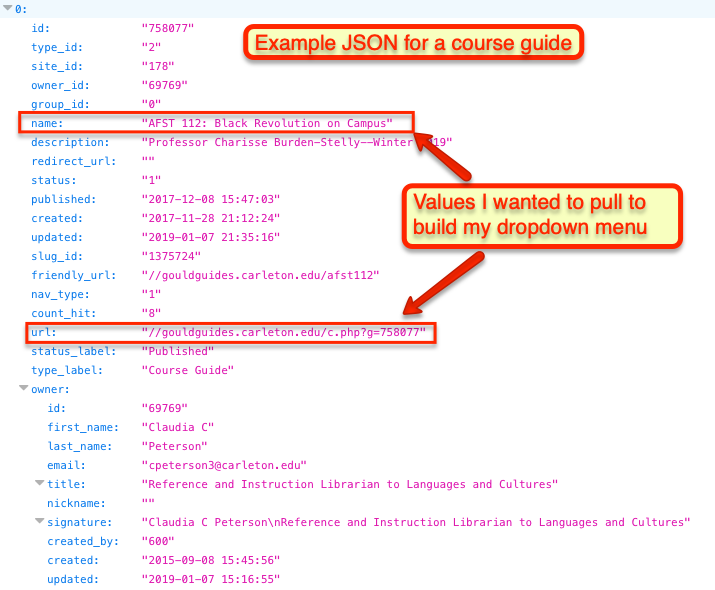
In the end, I created an API request for published guides, sorted by name, and filtered to just those having a particular tag. Here’s an example record from the JSON output I got from that request:

Using the API-generated data to feed a dropdown menu

Then came the searching around through StackOverflow for examples of code that uses a URL to point to JSON-formatted information, examples of code that use JSON fields to populate a dropdown menu, and examples of code that use javascript to add an “event sniffer” to a dropdown menu so that when a user selects an option, the menu opens a new URL without requiring anything else (like clicking a pesky “go” button). This step took me a while… In the end, I fiddled and fiddled with example code until all of a sudden, bits and pieces started to work! So exciting! And little by little I arrived at code that works for me.

Here’s an annotated version of what I built (and an html document you can download and mess with).

(And if you are someone who actually knows what they’re doing, and you see that I made dumb mistakes/choices, please let me know! I’m eager to learn.)

Leave a Comment

Microfilm Whimsy

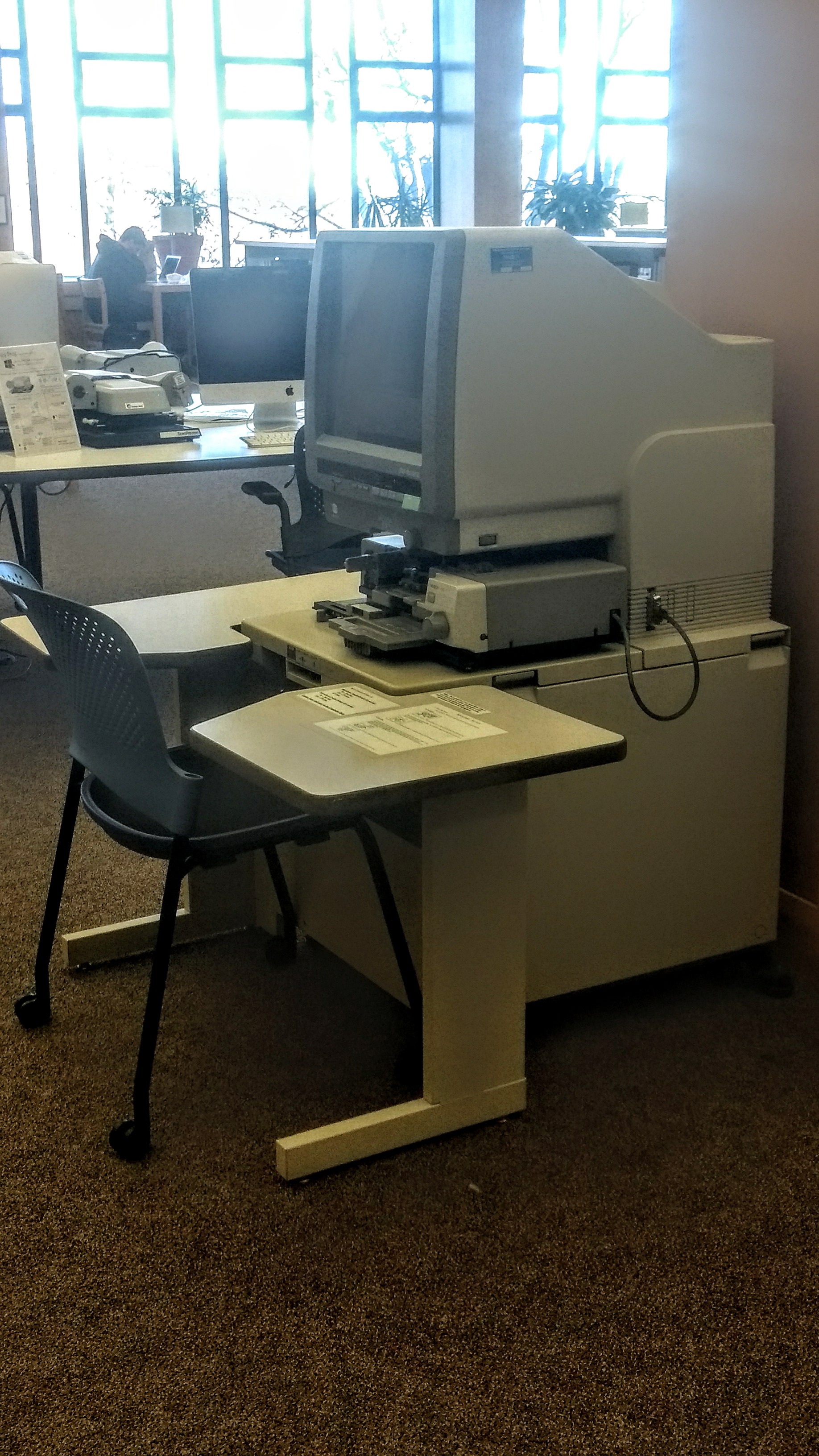
Last year one of our microfilm reader/scanners bit the dust, and we know that our ancient analog reader/printer is one service call away from the junk yard. And oddly enough, our microfilm gets fairly regular use here, so being down to one machine was going to be a pinch. So now, as of last week, we have a new machine.

Our dear old T-Rex

Gemini wasn’t exactly this, but it was a lot like this. (Image from here.

This means that we had to come up with a name for our machine, of course. We’ve been naming our machines for at least the last decade when a former colleague said that our first reader scanner should be called Gemini, because it looked like twins.

Then I said our ancient analog machine should be called T-Rex, because it’s ancient but powerful and a fan favorite.


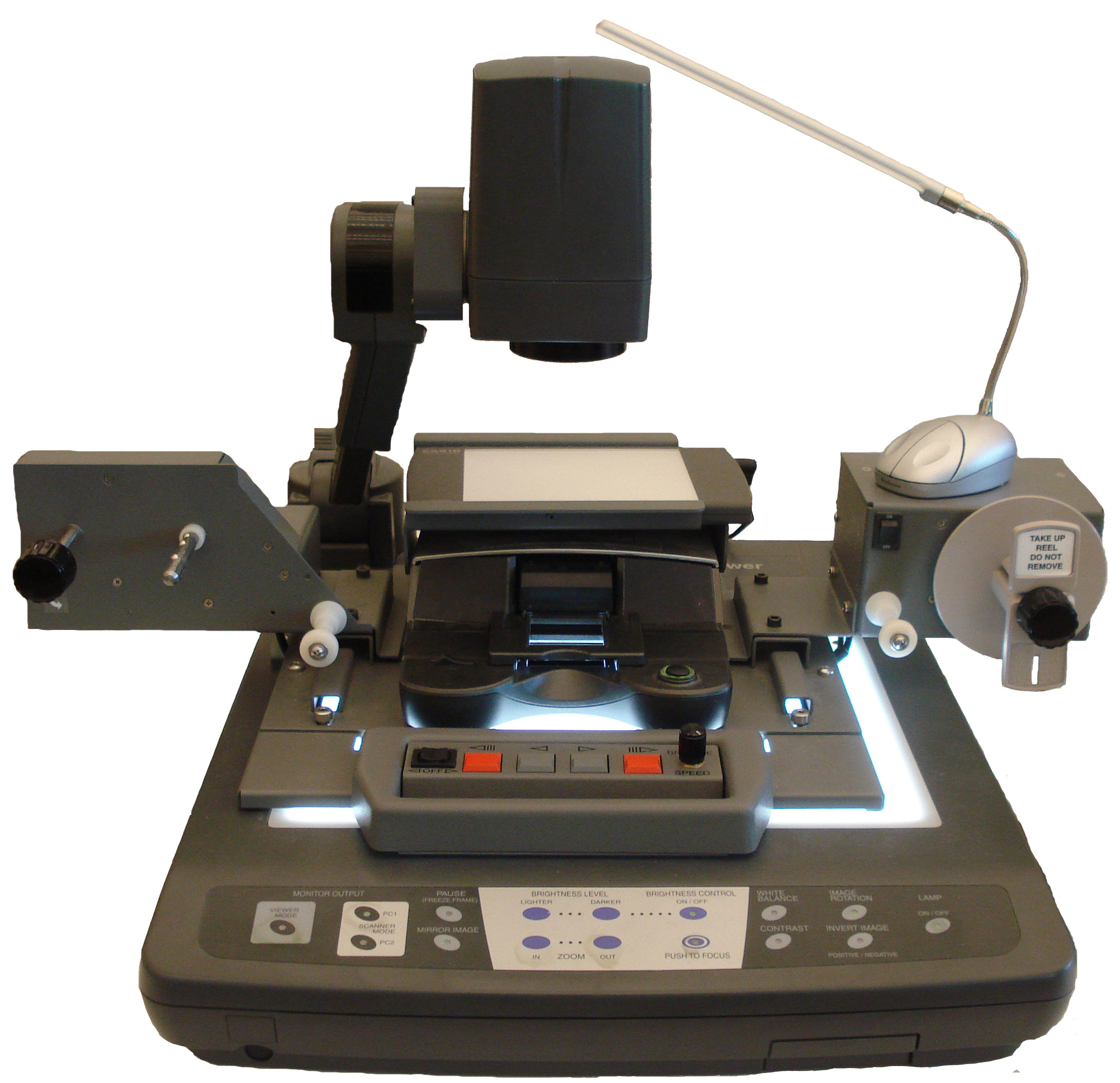
My first year here, we got a fancy new machine that had a silhouette that reminded me of Yoda meditating on a rock, so we called it Yoda. This machine was also mostly a mystery to all who tried to use it, not least because it had no less than 7 on/off switches. Plus a light made to look like a mouse, but wasn’t a mouse, and was actually completely unnecessary unless you were looking at opaque microcards. But nobody could ever remember that. So being simultaneously powerful and utterly mysterious also fit with its name.

You can see Yoda sitting on a rock, right? Right??

Time passed. At some point Gemini was beyond support. And eventually we got a new machine.

Our next machine reminded one of our campus IT folks of the character Crazy Frog, and the name stuck.

And now, as of last week, we have this new machine which looks almost exactly like Crazy Frog, but it isn’t Crazy Frog, and it will be taking over for both deceased Yoda and (eventually) T-Rex. So we spent some quality time this week naming it, and we ended up merging ideas from another campus IT person and from a librarian in my department. The new name? Yandu-Bot. It’s a robot version of a Yandusaurus. It merges the old and the new. It’s way more automated and powerful than our other machines. And as an added bonus, because it has the letters Y and D in that order in its name, the desktop systems administrator doesn’t have to make any changes to the computer and related systems it’s hooked up to, which all have the letters YD for Yoda.

2 Comments

News you can use: Obama signs bill modernizing terms referring to minorities in two sections of the U.S. Code

Seal_of_the_United_States_Congress.svgYou know you’re a librarian geek when you read the headlines telling you that Obama has signed a bill that will strike “oriental” and “negro” from two sections of the U.S. Code and think “What a good reminder that  full text searching through government documents is tricky.” And yes, that was me when I read those headlines on Friday.

And here’s the language from the bill itself.

(a) Office Of Minority Economic Impact.—Section 211(f)(1) of the Department of Energy Organization Act (42 U.S.C. 7141(f)(1)) is amended by striking “a Negro, Puerto Rican, American Indian, Eskimo, Oriental, or Aleut or is a Spanish speaking individual of Spanish descent” and inserting “Asian American, Native Hawaiian, a Pacific Islander, African American, Hispanic, Puerto Rican, Native American, or an Alaska Native”.

(b) Minority Business Enterprises.—Section 106(f)(2) of the Local Public Works Capital Development and Investment Act of 1976 (42 U.S.C. 6705(f)(2)) is amended by striking “Negroes, Spanish-speaking, Orientals, Indians, Eskimos, and Aleuts” and inserting “Asian American, Native Hawaiian, Pacific Islanders, African American, Hispanic, Native American, or Alaska Natives”.

First, I’m somewhat horrified to find the periods on the “wrong” side of final quotation marks — I guess Congress doesn’t go by standard U.S. style guides.

But more importantly, this means that if you’re full-text searching the U.S. Code, and you know to be careful to use outdated language when searching through historic documents, you should now OR in modern language if you’re searching through the Local Public Works Capital Development and Investment Act of 1976 and the Department of Energy Organization Act.

Here ends your communique from a librarian geek interested in search language.

Leave a Comment
css.php