Skip to content

Author: admin

Libraries, IT departments, and complex relationships

We have what I consider to be a really good working relationship with our IT department. When I talk to other people on campus I come away thinking of it as shockingly good, but most of the time I forget what it could be like and just go about the daily business of being in a good working relationship with another department. Their head of public services sits on our Public Services committee. I sit on their Service Points Steering Committee. Their director and ours meet regularly. Their director participates in our leadership team meetings. The people who run their main help desk and I talk nearly daily as we coordinate the running of the public labs (of which the library has 3) and the supervision of the IT student workers who, as a pool, staff both their main help desk and our Research/IT desk.

What’s more, we’re also friends. Most of us, anyway. There are a few people I don’t really know or understand over there and I’m sure the same is true when they think of us. But really, I’m going to movie night at one of their houses tonight and another one and I have swapped books and another and I meet to knit together nearly every Saturday morning. We confide in each other. We’re friends.

So yes, things are good. But as with any relationship, things are also complex.

We had a joint retreat recently, and one of the questions several of us raised in our breakout groups — the question that’s kicked around in my head since then — is how to have a truly collaborative relationship when the library is about 90% customer of IT and 10% collaborator with IT. We have complex systems that they support. We have weird old fashioned printers (i.e. label printers) that we really need but that don’t work most of the time. Our web presence is complicated. Our need for public technology infrastructure (and bandwidth) just keeps increasing. Some of us want to tinker with all kinds of geeky stuff, and some of us need help copying and pasting. I don’t know if we’re their most complicated customers on campus, but we’re probably right up there.

So there’s a weird power dynamic there, and potential for either side to get resentful: us if we think they’re not helping us enough and them if they think we’re demanding too much time or resources. And we wondered how to even out that power differential a bit in hopes of keeping a good thing going and making it even better and more sustainable. What is it that we offer them?

Currently, we’re one of the best places on campus to test equipment and software. We’re a high traffic building and one of the few on campus that’s frequented by faculty, staff, and students. And we’re also pretty good at soliciting and communicating feedback. So when the college was deciding on a campus-wide printer/scanner/copier model, we were the main test site. When they institute new software or interfaces, we can usually tell them how it’s being received by our students.

We also offer a space where IT can have direct contact with students who are in the midst of doing their work. The main lab in the library is the reference room, with the joint Research/IT service desk and the two busiest printers on campus. One thing that our IT department doesn’t have much of right now is very direct connections to the curriculum and student engagement with their academic work on campus, and since that’s really the core of the campus’ mission and ethos, figuring out how to engage with that enterprise would be a great step. (There is a group of academic technologists that consults with faculty and students about curricular matters, but for the most part they are separate from the main help desk.)

Right now, they’ve come through several years of several iterations of major reorganizations, so I suppose we can offer a sense of stability if we’re in collaborations with them and other departments or individuals.

But what else? Surely there are ways to offer more tangible support for colleagues that we value and that make our work possible. What are some of the things that you offer your IT departments?

7 Comments

The evolving face of shelves and desks

Harvard Library Reading Room

Libraries have always been many things, but one thing they’ve generally focused on is providing materials and places to read and engage with those materials. Shelves and desks.

With more and more of our collections moving online, an internet connection is now the equivalent of a shelf for our electronic collections, browsers and computer desktops are now the places to read and engage with those materials.

This hit home for us in a big way when our wifi infrastructure crumbled under the ever-increasing demands on its resources (thank heavens for smart and dedicated IT folks!) and when “use one of the library computers” wasn’t an alternative any more because they were all in use. All three labs of them.

I used to think of wifi and computer access in libraries more as amenities. People come here to do their academic work, so isn’t it great that they can stay here and actually do their work. But over the last few years I’ve decided that our collections and the assignments that our faculty require have evolved such that it’s no longer useful to think of these and things like them as “extras.” These are our shelves. These are our desks. These are part of our core mission. We provide materials and ways of engaging with those materials, just as we have always done.

Leave a Comment

The Reference Pager; or, Things That Will Probably Kill Me

Last summer, our workhorse of a pager finally fell to bits. Literally. So we had to buy a new one, and it’s actually  not a walk in the park to find one that will transmit all the way through our library, but we landed on this one. The good news is that it does indeed transmit throughout our library.

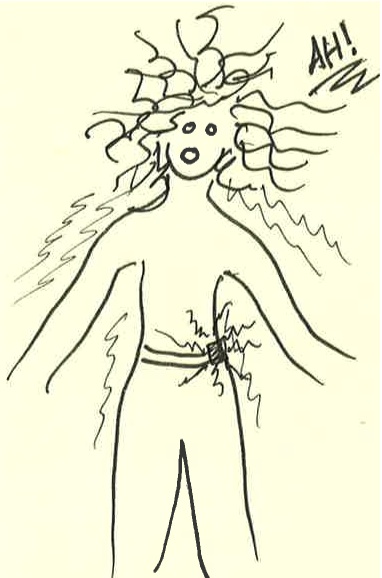
Aaaahhhhhh!!!!!!!!!

The bad news comes in two parts. First, it turns out that “Good Vibrations” is actually stamped onto the pager — a pager that vibrates exuberantly. This is… not what I really want to be wearing on my belt buckle as I go about my librarianly work. We covered the phrase over with a slip of paper that says “Reference Pager.” Imaginative, I know, but I’m all for utterly useful things at service points.

The second part of the bad news was the extreme exuberance with which this pager vibrates. You can hear it vibrating away from across the main floor of the library, followed immediately by the poor on-call librarian’s startled scream. And at the beginning of every shift, you can watch as the librarian on duty gingerly unplugs the pager from its charger, turns it on, and cringes as it gives 4 excessively happy “I’M FUNCTIONING AND I’VE MISSED YOU AND I’M SO READY TO WORK TODAY” vibrating pulses.

I’m on call this afternoon while all my other colleagues are either working off campus, at a conference, or on vacation. If this thing goes off and I have a coronary, nobody will know what happened until everyone returns tomorrow to find my cold, dead hand clutching the maniacally vibrating pager.


p.s. Here’s the thing’s “I’m awake” war cry. (Surgeon General’s Warning: turn down your volume if you value your ears.)

3 Comments

Last Week in OSes Connecting to our Campus Network

Here is a list of OSes that connected to the campus wireless network last week, and the number of each of those OSes that connected. Dorm rooms don’t have wireless, only wired, so they don’t show up here, and lab machines are all wired, so they don’t show up here. Also, we don’t currently have guest access to the wireless network, so this is Carleton folks connecting.

  • 944 Mac OS X
  • 915 Apple iPod, iPhone or iPad
  • 640 Microsoft Windows Vista/7 or Server 2008
  • 340 Mac OS X Lion
  • 133 Generic Android
  • 69 Microsoft Windows XP
  • 26 OEMed Wireless Router
  • 11 Slingbox
  • 11 DD-WRT Router
  • 9 Ubuntu 11.04
  • 9 HP Printer
  • 8 LaCie NAS
  • 7 Samsung Android
  • 7 Playstation 2
  • 5 Nokia Internet Tablet (udhcpc client)
  • 5 Android Tablet
  • 3 Ubuntu/Debian 5/Knoppix 6
  • 3 Motorola Android
  • 3 Debian-based Linux
  • 2 Xbox 360
  • 2 OS/2 Warp (actually BlackBerry, I think)
  • 2 Microsoft Windows 8
  • 2 Gentoo Linux
  • 2 Epson Projectors
  • 1 Symbian OS
  • 1 Fedora 15 or 16 based distro
  • 1 Chrome OS
  • 1 Brother Printer

Coming after the recent Chronicle of Higher Ed article on how Tablet Ownership Triples Among College Students (apologies for the pay wall), it’s very interesting to see iOS connections outnumber all Windows connections.

Leave a Comment

Teaching a session after they’ve written the paper

So here’s something I would never have thought of on my own but turns out to have been really great.

A professor that I work with often was teaching one of the 100-level Writing Seminars that get offered with some regularity. He’d set up the class so that students would have practice doing a variety of kinds of writing (observational, persuasive, etc), and they’d be reading a lot of op ed kinds of things (as well as They Say / I Say by Graff and Birkenstein) along the way to seed discussions and to model their writing on. Pretty typical first year writing seminar fare.

He was also working in formal drafts by having papers due and graded, and then having the term’s final paper be a reworking of one of those papers, using it as a glorified draft. And here’s where things got kind of interesting.

They didn’t really need me early on in the course. He wasn’t asking for more than could be found on the open web up until the time of the final paper, so having me come early would have been a waste of everyone’s time as they wondered what they were doing with me, I wondered what I was doing with them, and we all promptly forgot about the whole thing. But then by the time they might need me, they’d already written a pretty good version of their papers.

“That’s fine!” I said, “They need to know that the research process isn’t linear anyway, so let’s really and truly demonstrate going back to the research steps after having thought critically about their papers.” And so we did. Here’s how it went (it was a 2-hour class session):

Class Discussion

They spent the first third of class discussing the days’ reading, Evgeny Morozov’s “The Death of the Cyberflâneur” from the New York Times. As they did so, I noted down the phrases from the work that they were referencing, the related topics that they were connecting this work to, etc. (I also participated in the discussion a bit, because it was fascinating and lively.)

Following Up and Website Evaluation

As the discussion was wrapping up, the professor asked me, “How would we find out more about Morozov? Is he respected? Has he written other things?”

Chalkboard after class

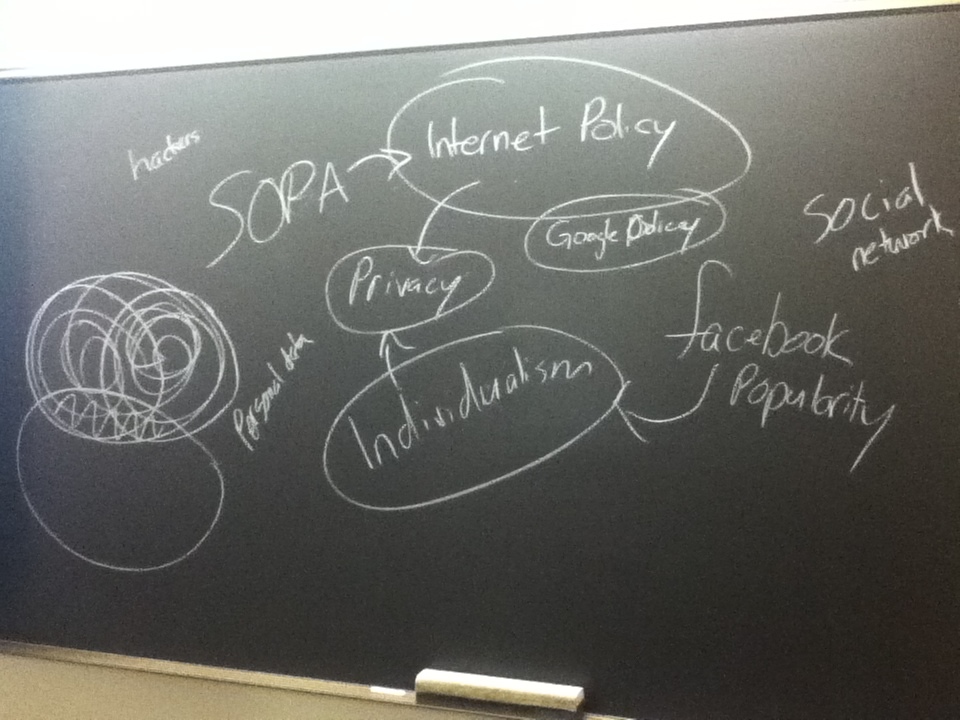
So I, of course, started from his Wikipedia page, which always gives us a chance to talk about the uses and misuses of Wikipedia, which leads into a nice discussion of authority and how we determine it, which always ends with us agreeing that finding out who caused something to be put up online has a lot to do with how much weight we give to whatever it is we’re looking at. As we found things, I also started a little mindmap on the chalk board of the kinds of topics Morozov publishes on as well as the related terms/topics that had come up during their discussion.

(This is actually not the best example of how this mind-map worked because we did a lot of talking and I did less writing, so you can’t really see that we were using it not just to visualize the topic but also to come up with related terms to use for later search. But more on that in a bit)

(Break)

Research and your final paper

The professor and I both talked a bit about the process of looking critically at your drafts to identify where your reader may need you to give them some evidence before they’ll be willing to follow you along from point A to point B. Evidence is like a bridge that you construct to fill the gap between where your reader is and where you’d like them to be.

Circular research process

Furthermore, this process of having a really good draft in hand, reading it critically, and then finding new evidence to fill gaps you didn’t see before is perfectly normal. In fact, it’s great! The research process is circular, so trying to hammer it out flat will often get you less great results.

See? It looks like this. You are currently re-examining your topic. Again. And ideally you’ll do it often.

At this point we had them pair off, exchange their drafts, and work together to identify places where either hard evidence or other external voices might help them make their papers more effective. Then they reported on their discussions and we all brainstormed together where those kinds of sources might have been published — books? newspapers? scholarly articles? blogs?

They were pretty invested in also talking about readability and tone and stuff, which wasn’t really the point of the exercise, but which I pointed out also has an impact on the kinds of sources you might choose. If you’re going for a very coloquial tone, you might not need an analysis of a massive World Bank data set. Maybe you could just find a journalist reporting summary figures.

Anyway, from here we went into actual searching. We listed off the major kinds of sources that people said they’d need (predictably it was newspapers, census statistics, articles and books). I told them that the strategies were were going to use to find newspaper articles and to find scholarly articles would also help them find books and more web sources (free text vs indexing searching, but I didn’t say that). We worked from their research guide and we used the Cyberflâneur article’s topic (already somewhat mindmapped and already fully discussed in class) as our example.

Taking terms that we’d already seen used in the day’s readings and in Mozorov’s wikipedia article and in our mind map, clumped them into topics, so that we could say “If I’m doing research on social networking, relevant articles may not have used that term but may have talked about the names of specific social networks, like Facebook or Twitter. And if I’m talking about individualism in this context, other terms like privacy or performativity or “personal data” might be useful.” (This part of the class is always highly interactive, with them supplying nearly all of the terms and me putting them on the board or into our search boxes.) Then I do my brief venn diagram of Boolean to show how to teach the computer what we mean by “social networks” and “individualism,” and then we do that on the screen. We talk through the weirdness of the computer not understanding words, just matching letters in a row, so our job is to come up with words that would likely appear in a useful article but would likely not appear in all articles. (If this process of using terms in our readings to help us generate searches, yes, this is the Term Economy and Instrumental Reading at work.) Then we look at our results, map the interesting ones, glean the interesting terms, and make another search.

The class wraps up with them doing this on their own topics, using the Term Diary to track the useful terms they’re finding, and then reporting back to us some of the more useful/interesting terms they found that they wouldn’t have thought to search on in the first place.

And there you have it. My first experiment with teaching for students who had already written their papers. I really have to hand it to the professor for setting things up this way, and for starting us off with a discussion the way he did. He got their participatory juices flowing and I just road that momentum, but it sure made for a fun class session.

3 Comments

How students (and faculty) really find articles

In January we started piloting the Wiley pay-per-view option. Based on our usage stats and other schools’ usage stats, we bought tokens that would get us through the calendar year, after which we would reassess. Sounded like a plan!

Due to several unforeseen factors, we didn’t turn on the pay-per-view access in our link resolver. Seemed like a tiny bump in the road. Our real pilot would be delayed a couple of weeks. No biggie.

However, in those first two weeks, we went through over a quarter of the tokens we’d purchased, tokens that were supposed to last us a full calendar year. Apparently Google, Google Scholar, and the DOIs in scientific citation styles lead enough students to the Wiley publisher website version of these articles that going purely pay-per-view would crush our serials budget.

And it’s not just the students. The last 2-3 years, one of the main themes to the questions at new faculty orientation has been how to get to the full text from Google or Google Scholar.

Now, if you’re like me, none of this is particularly surprising. It’s just the first time I’ve seen it quantified in budget form. But it’s left me wondering if our to-be-configured discovery system will make a dent, and what Google plans to do with Google Scholar anyway now that the redesign (rolling out slowly to different people) removes Scholar from the “more” menue. And I wonder about the future of aggregator databases and of our budgetary structures. Not that I think databases are “dead” or anything, but I do think that Academic Search Premier does not now serve the function it served even just a few years ago, so it and it’s ilk will inevitably change focus or fade.

3 Comments

Thank you, Steve

What with one thing and another, getting this space looking functional again seemed like an insurmountable task. I couldn’t even make myself find a new base theme that didn’t have that awful, huge, contextless, ever-changing image. And I certainly couldn’t write here while that image was staring me in the face.

But then Steve Lawson swooped in and did all the heavy lifting (and nearly all of the light lifting, too), and now my blog is looking like my blog again. Thank you, Steve!

2 Comments

Library Hold Shelf Pros and Cons

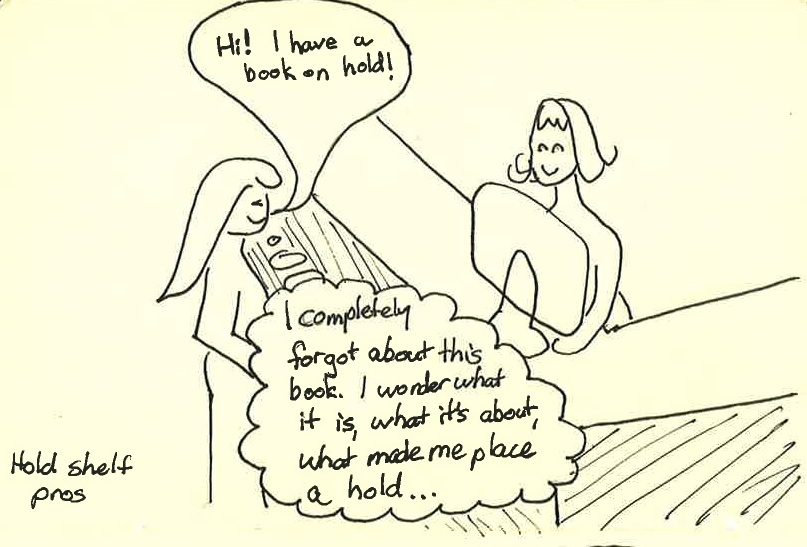
I recently got a notice that I had a book waiting for me at the circulation desk. Thrilled, I raced over there having completely forgotten a) that I had put a book on hold months ago, and b) anything about said book. What fun! What an adventure!

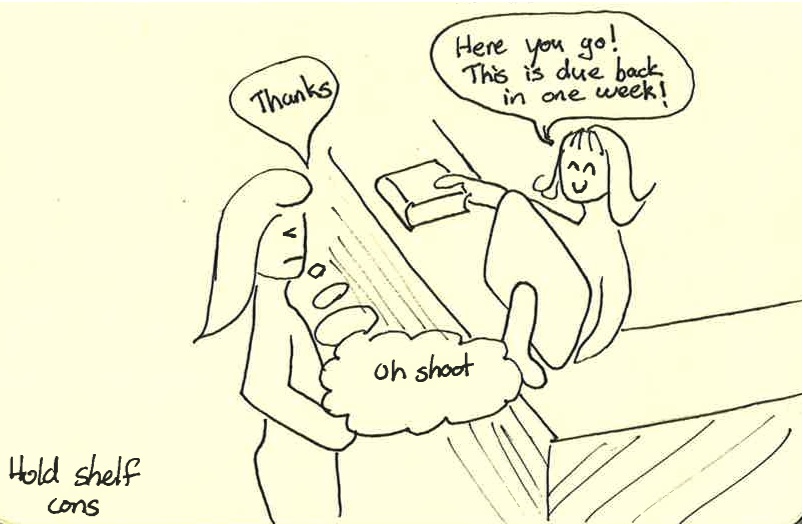
After having had my library card scanned and the book desensitized, I realized that there’s a downside to placing a hold on a book that’s so popular that a million other people had placed a hold before you and 85 million people had placed a hold on after me.

1 Comment

Non-harassing protest of SOPA at ALA Midwinter

Quite a few of the vendors that will be exhibiting at ALA Midwinter support SOPA, which “could have potentially disastrous consequences for the stability and security of the Internet’s addressing system, for the principle of interconnectivity that has helped drive the Internet’s extraordinary growth, and for free expression” according to the Stanford Law Review.

The Library Society of the World is here to help you help us conduct a non-harassing protest against these vendors. We recognize that the vendor representatives that will be staffing the boothes in the MidWinter exhibit hall are not the bad guys. They didn’t make these decisions and they don’t deserve to have bad days because of this protest. Their executives, however, need to know that SOPA is not ok with us. The Library Bill of Rights is clear:

III. Libraries should challenge censorship in the fulfillment of their responsibility to provide information and enlightenment.

IV. Libraries should cooperate with all persons and groups concerned with resisting abridgment of free expression and free access to ideas.

So here’s the plan:

  1. Print off as many copies of the LSW SOPA Protest Coupons (PDF) as you can manage, making sure to print it double sided. (The file is in color, but it prints in black and white just fine.) Ideally, print off as many sheets as you think you can use and as many as you think you can carry to hand out to people at Midwinter.
  2. Cut or tear sheets into 6 protest coupons, each of which should have the letter on one side and the “+1 Protest Point” pattern on the other.
  3. Use Andy’s Exhibit Hall map to help you know which vendors support this legislation, and take them a coupon or three.
  4. Please try to be nice to the vendor reps, but make it clear that their higher-ups need to know that we’re not ok with this.

Ideally, by the end of Midwinter, each vendor booth should have a hefty collection of protest coupons quantifying our displeasure.

P.S. This post and the protest coupons have a CC0 license — that means that I claim no copyright on this work and that you can use it and share it at will.

2 Comments
css.php